System Architecture Diagram
Overview of our server-side architecture, workflow, and module sequence.
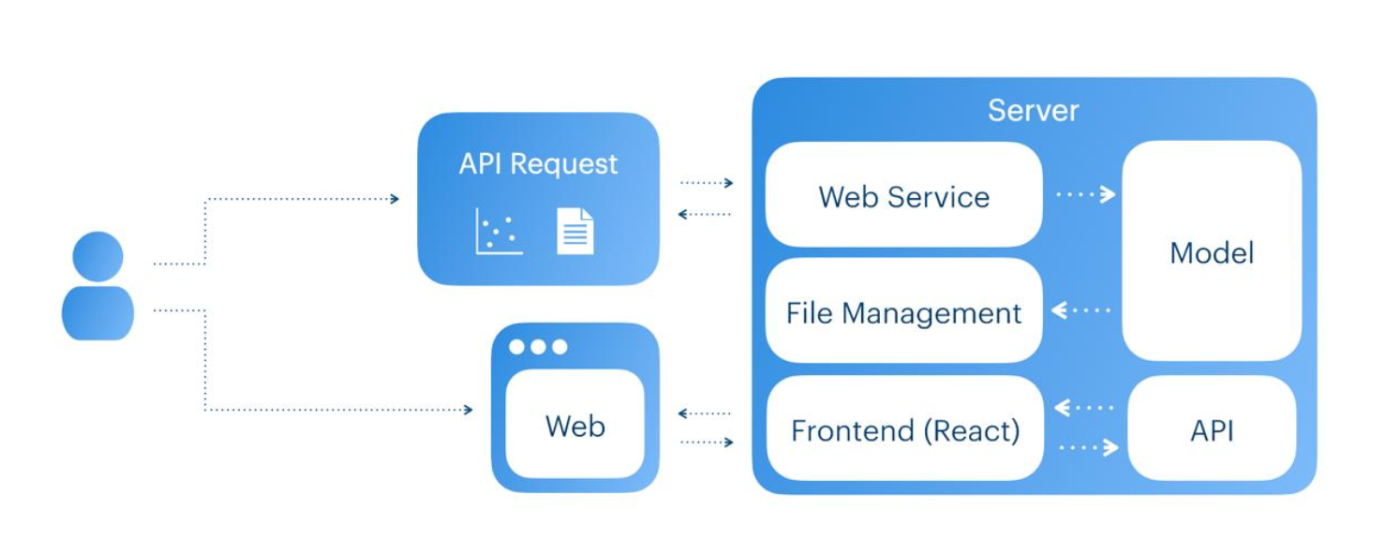
Modular Architecture
SightLinks employs a pipeline architecture consisting of discrete modules, each dedicated to a specific task in the detection workflow. As long as each module's output format remains consistent, any module can be replaced or updated without disrupting the rest of the system.
User Interaction
Users can access the system in two ways:
- Direct API Requests: via cURL, Postman, or any application integrating the API
- Web Interface (React): a fully featured graphical interface for file uploads and result viewing
Server Components
The server implementation consists of several key components:
- Web Service: Receives and processes API calls, orchestrates backend functionality
- Model: The core ML component, handling analysis or detection tasks
- File Management: Manages saving and retrieving output files generated by the model
- API: Provides endpoints for both the Web Service and Frontend to trigger processing
- Frontend (React): Delivers the user-facing interface and calls the API to run backend jobs
Workflow
API Request:
- A user or application sends an API call.
- The Web Service receives the request and invokes the backend code (Model).
- Output files are saved by the File Management system.
- There are two versions of the API call:
- Simple Return: The API directly responds with the output JSON.
- Download Flow:
- The user calls this API and receives an ID token.
- The user checks the processing status by passing the ID token to another endpoint.
- If processing is finished, the endpoint returns a download token.
- The user can then download the results within a two-hour window by making a final request with the download token. The files are automatically deleted after that timeframe.
Web Interface:
- A user accesses the React-based website and specifies the desired input type, output type, and whether to save processed images.
- The user uploads the images to be analyzed.
- The Web interface triggers the backend Model by calling the appropriate API endpoints.
- Once processing is finished, the results are stored by the file management system.
- The user can download the output files from the website for up to two hours before losing access to them.
Sequence Model Overview
Detailed breakdown of our detection sequence and processing pipeline.
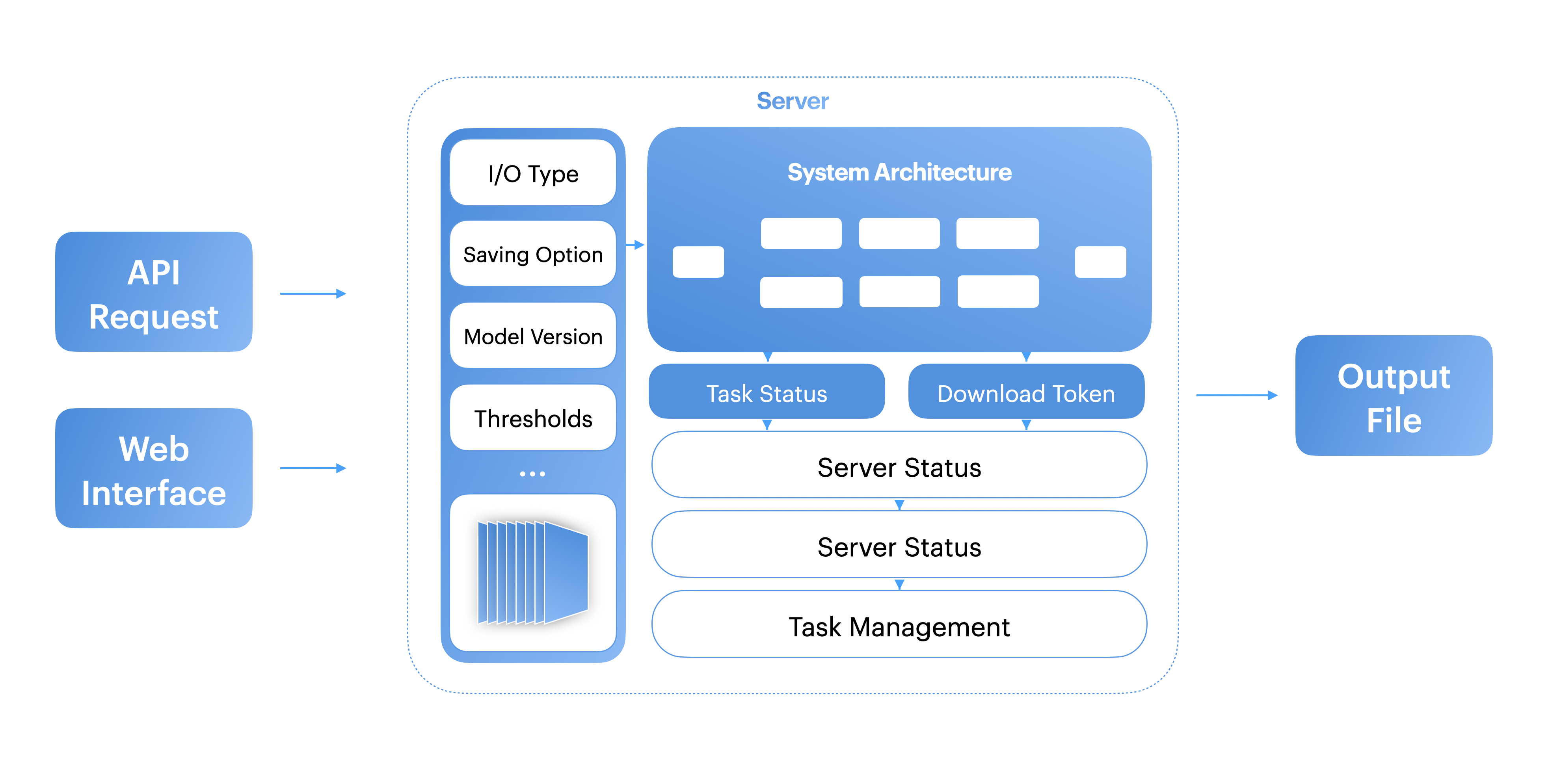
Backend Architecture Diagram
Process Steps
The following modules make up the primary steps in our detection and output process:
- Input image: Extracts and organizes input files from standalone or compressed archives; creates timestamped directories and filters out invalid files/metadata.
- MobileNet Segmentation: Segments the input image into sequential 256×256 windows suited for the MobileNet model's resolution.
- MobileNet Detection: Classifies whether each 256×256 window contains a crossing. If the confidence exceeds a set threshold, it returns True; otherwise False.
- YOLO11 Segmentation: Gathers the windows marked True by MobileNet. For each, it creates a 1024×1024 region (centered on the 256×256 window). Shifts inward if edges exceed image boundaries.
- YOLO11 Detection: Processes each 1024×1024 region, returning any detected bounding boxes (four corner coordinates) and confidence scores.
- Georeferencing: Converts each bounding box's pixel coordinates to WGS84 latitude/longitude using metadata from the input files.
- Filtering: Collects all detected bounding boxes and applies Non-Maximum Suppression (NMS) to remove overlapping duplicates with lower confidence.
- Output File: Saves the final georeferenced detections (and their confidence scores) to a JSON or TXT file.