Testing
In order to make sure that our project adheres to the requirements elicited from our client, we will be putting a great deal of focus on testing ensuring that it upheld throughout the development process. The following details on this page explore the testing strategies that we will be employing.
Unit Testing
Our client wanted a method to make sure that if any changes are made to the backend API they could ensure that their functionality will be preserved if any changes are made. Our unit tests are written using a framework called mocha and they operate by creating an artificial connection to the database. This does mean that we don’t test for any faults with the database and the connection to it, but we do have the tests being automated when a commit is pushed to the testing branch. The tests were automated using travis CI and writing a script that automatically installs all the necessary packages and then runs all of the unit tests showing the result of this in the git commit log.
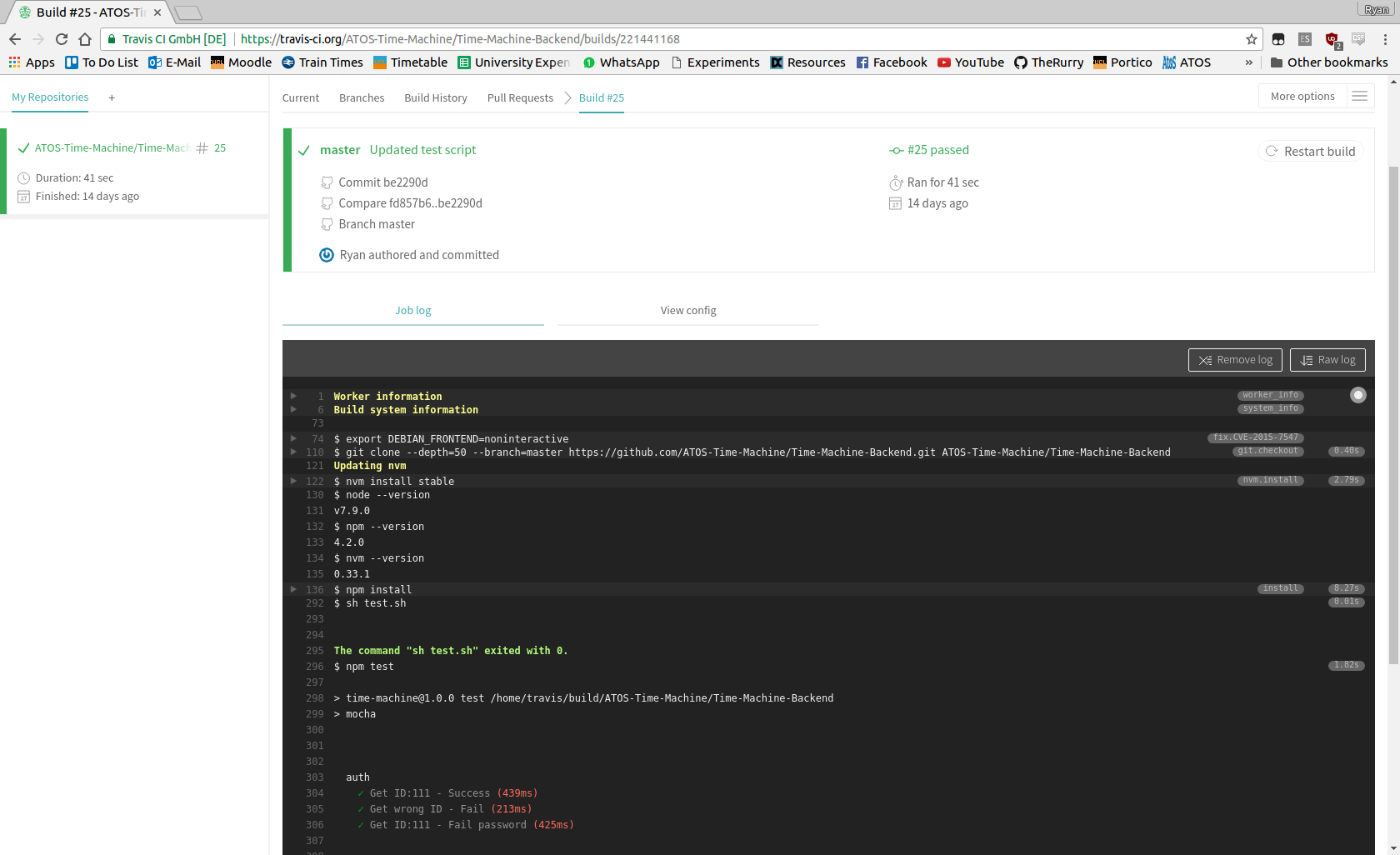
The three unit tests being run here are for the authentication method, and they test for trying to send a request with a correct id and password, a request with an incorrect id and password, and a request with a valid id but an incorrect password. We chose to break it up like this in order to make sure that we have the best possible chance to catch any errors when changes are made to the codebase.
User Acceptance Testing
In order to conduct our user acceptance testing we gave them the guide to our application and then let them have free roam of the application. Whilst using the application we provided them with a simplified version of our requirements and asked them to go through them and check off which ones they felt that we had completed. Proceeding this we then asked them to give an overview of their thoughts on what we have delivered. The checklist they carried out can be found in the evaluation section under requirements. Client review: We feel the team met the initial requirements outlined for the Time Machine. The team had to work with the constraint the more specific details around the special claims form format requirements weren’t provided and that we were unable to provide the team access to ESS, which is essential to be able to develop a tool guaranteed to integrate with it. Having completed some pilot testing, we found the tool extremely easy to use. The request form layout was clear and logical and completion of the form could be done quickly. The Login screen looked nice and funky. It was easy to add users and the different roles were defined. The processing of an OT request and approval was tested successfully. We liked the link to user guidelines being available from each page (albeit they are still in development J).