System Design
Home → System Design
System Architecture
The PRIDAR Chatbot application system consists of several components. Users can interact with PRIDAR Chatbot via Telegram. The bot source code is deployed to VoiceFlow. PRIDAR Chatbot is connected to Airtable and Jotform as its database, Sendgrid as its e-mail verification system and QuickChart for the data visualisation.

Designed by Linta Rahman
DialogueFlow Diagram
The PRIDAR Chatbot has multiple functionalities. Therefore, it has been designed to allow users to utilize all its functionaility with ease. The dialogue flow of PRIDAR Chatbot has been purposely organised to make user interactions as smooth as possible.

Designed by Linta Rahman
System Design
The PRIDAR chatbot is a decision based chatbot, using logic to decide what branches to travel down based on user input.
The user first must log in to their account, or alternatively create a new one using their email.
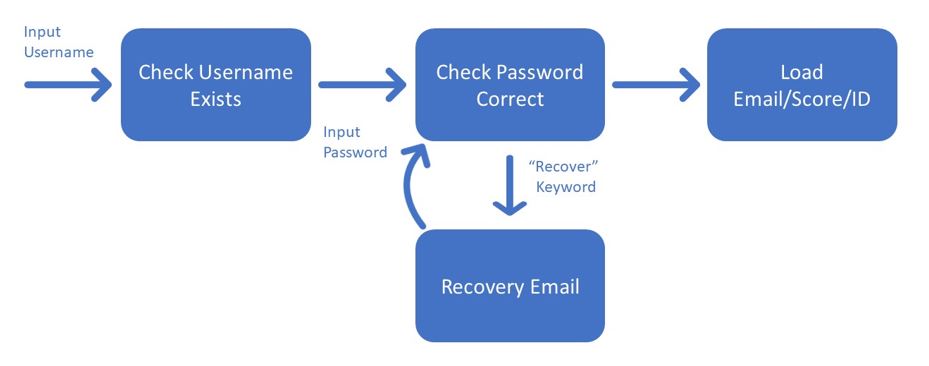

After successfully doing so, they will be given a main menu, where they can choose from one of the chatbot’s functions to engage with, or exit.

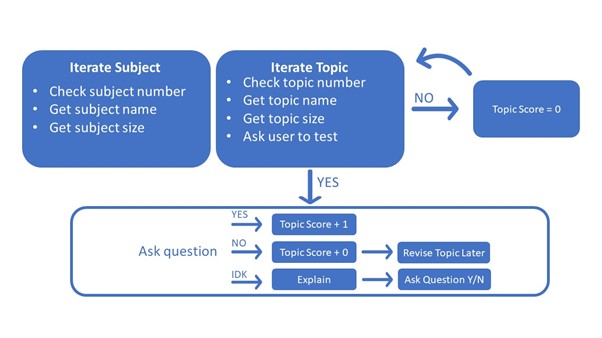
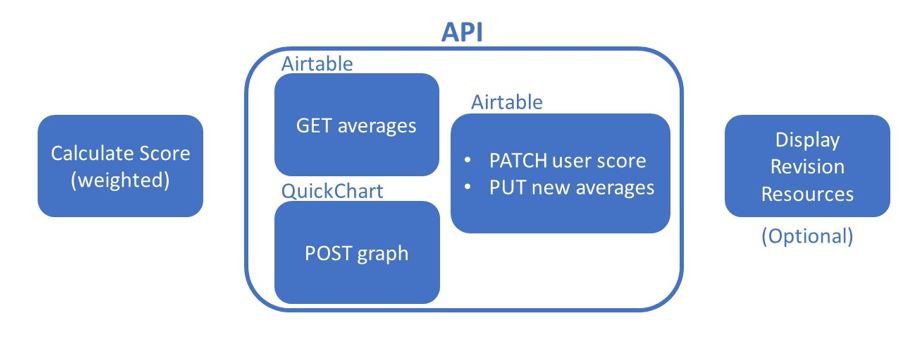
Test Knowledge
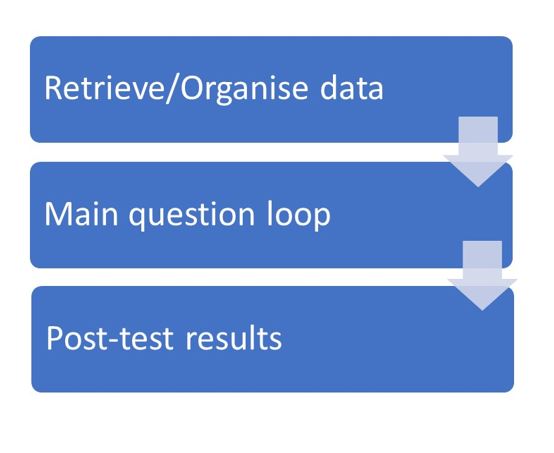
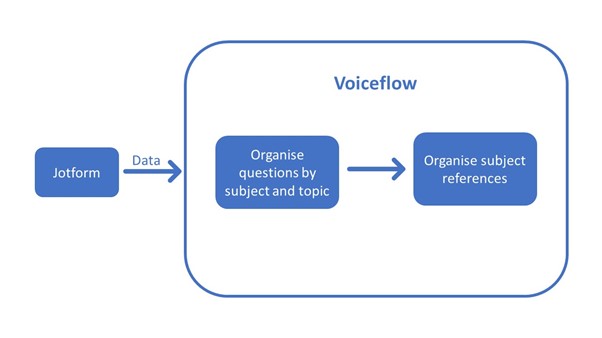
This is the main function of the chatbot, which quizzes users on different PRIDAR topics, giving them a score and some resources to help where they went wrong.
Ask Questions
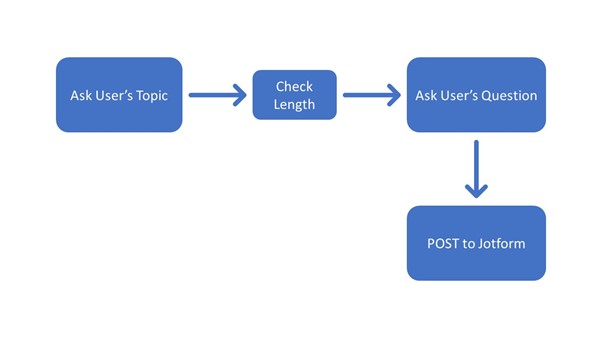
This is the next big function of the chatbot. This function uses the user’s account contact details to allow them to ask a question to a clinical professional about the PRIDAR standard. User questions are send straight to Jotform, where clinicians can collaborate on a response before emailing it to users.
View Scores
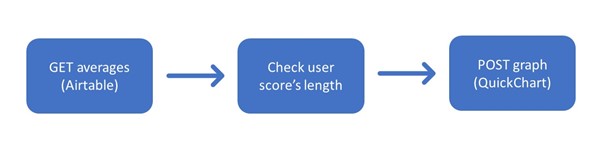
This function allows users to see their most recent score as a radar graph, generated using QuickChart, with the overall national average displayed over it for comparison. If the user hasn’t taken a test since the PRIDAR topics were updated, or have never taken a test at all, then they will be prompted to do so.
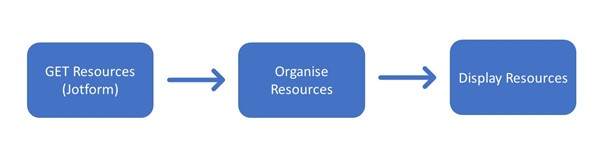
View Resources
This final function allows users to see the full list of resources currently available in the bot. This will give topic by topic explanations and references for independent research on a topic.