
IMPLEMENTATION
- Home
- Implementation
JurisBUD AI Implementation
Tools & Dependencies
The language for JurisBUD AI structure and logic is
node.js

Next.js is the frontend framework which is used for JurisBUD AI.
Django is a high-level Python web framework is used to build the backend.
LangChain is used in development of our LLM.
Impl. Overview
1. run JurisBUD AI
JurisBUD AI is packaged using Docker, therefore, we have multiple files that are related to dockerization that group our code altogether, when run.sh is running, the docker script will work to build the application on localhost with creating a docker container.
                        version: "3.9"

                        services:
                          chroma:
                            image: chromadb/chroma
                            ports:
                              - "8000:8000"
                            volumes:
                              - data:/chroma/chroma
                            environment:
                              - IS_PERSISTENT=TRUE
                              - ALLOW_RESET=TRUE

                          backend:
                            ...
2. How JurisBUD AI interacts with user
By developing frontend with Next.js, we made some clear interfaces that are interactively and user-friendly. It includes the Homepage, Spaces, Chats etc. The Django backend is integrated to provide service.
                        const Home = () => {
                          const { isAuth, setIsAuth, username, setUsername } = useContext(AuthContext);
                          const [prompt, setPrompt] = useState("");
                          useEffect(() => {
                            if (!isAuth) {
                              redirect("/");
                            }
                          }, [isAuth]);
                          ...


                        from django.db import models
                        from api.models import UserProfile


                        class Tag(models.Model):
                            name = models.CharField(max_length=100)
                            color = models.CharField(max_length=7, default='#FFFFFF')  # HEX Color


                        class Group(models.Model):
                            name = models.CharField(max_length=100)
                            # members = models.ManyToManyField("api.UserProfile", related_name='groups')
                        ...
LLM Implementation
LLM is the core of JurisBUD AI, it is the AI agents that are used to generate responses for user queries. The implementation is based on LangChain.
Task List Implementation
                    def parse_task_list(output):
                      # if not function invoked, return to user
                      if "function_call" not in output.additional_kwargs:
                          return AgentFinish(return_values={"output": output.content}, log=output.content)

                      # parse out function call
                      function_call = output.additional_kwargs["function_call"]
                      name = function_call["name"]
                      input = json.loads(function_call["arguments"])
                      ...
Database Implementation
                    chroma_client = None
                    for _ in range(15):
                      try:
                          chroma_client = chromadb.HttpClient(
                              host="localhost", port="8000", settings=Settings(allow_reset=True)
                          )
                      except Exception:
                          sleep(1)

                    if not chroma_client:
                      raise Exception("Chroma client not found")
                    print("Chroma client found")
                    chroma_client.reset()
                    ...
Agents Implementation
                    organiser_agent = (
                    {
                        "input": lambda x: x["input"],
                        "agent_scratchpad": lambda x: format_to_openai_function_messages(
                            x["intermediate_steps"]
                        ),
                    }
                    | organiser_prompt
                    | organiser_llm
                    | parse_task_list
                  )

                  solver_agent = (
                    {
                        "input": lambda x: x["input"],
                        "agent_scratchpad": lambda x: format_to_openai_function_messages(
                            x["intermediate_steps"]
                        ),
                    }
                    | solver_prompt
                    | solver_llm
                    | parse_task_list
                  )
                  ...
Signup/Login Implementation
Frontend
                    export default function SignUp() {
                      const {isAuth, setIsAuth, username, setUsername} = useContext(AuthContext);
                      const [errors, setErrors] = useState({...default_errors});
                      const [showModal, setShowModal] = useState(false);
                      const handleSignUp = async (e: any) => {
                        e.preventDefault();
                        const form = e.target;
                        const formData = new FormData(form);
                        console.log("formdata:", formData);
                        try{
                          const response = await apiClient.post('/signup', {body: JSON.stringify(Object.fromEntries(formData))});
                          const data = await response.json();
                          console.log('Signup')
                          if (!response.ok)
                          ...
Backend
                    class UserProfileAdmin(UserAdmin):
                      ordering = ['email']
                      list_display = ['email', 'name', 'is_admin', 'is_superuser']
                      search_fields = ['email', 'name']
                      list_filter = ['is_admin', 'is_superuser']
                      admin.site.register(UserProfile, UserProfileAdmin)
                      @admin.register(Tag)
                      class TagAdmin(admin.ModelAdmin):
                          list_display = ['name']
                          ...
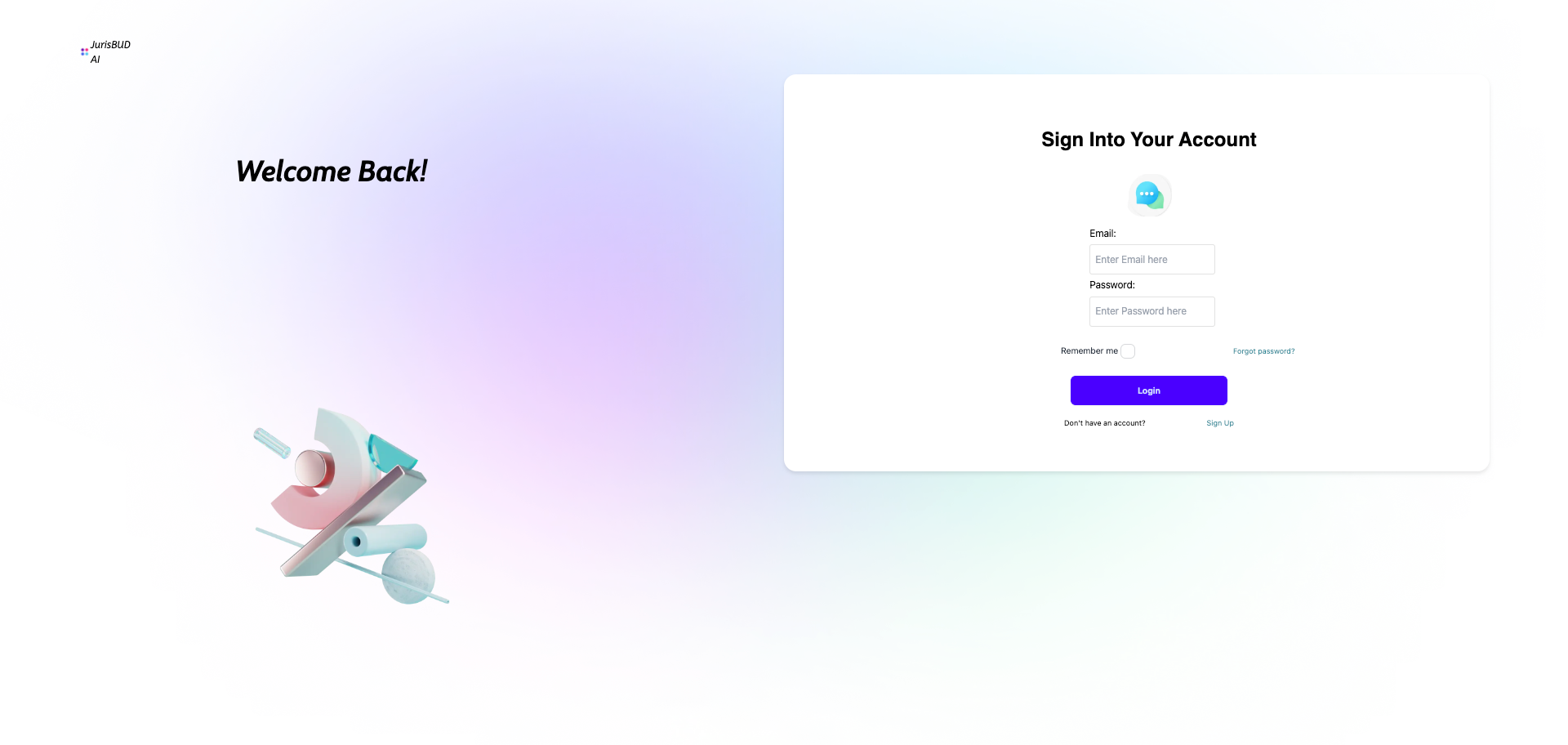
Login system provides a simple registration and login logic that is a basic model gives users specific id for tracking histories etc.
Chat Generation Implementation
Frontend
                    const sendRequest = () => {
                      setLoading(true); // Start loading

                      // Here you would replace 'your-api-endpoint' with your actual API endpoint
                      // and adjust headers and body according to your API requirements

                      apiClient
                        .post("/chat/create", {
                          headers: {
                            "Content-Type": "application/json",
                            Authorization: "Token " + localStorage.getItem("token"),
                          },
                          body: JSON.stringify({ prompt: inputValue }),
                        })
                        .then((response) => response.json())
                        .then((data) => {
                          console.log(data);
                          setResponse(data);
                          setLoading(false); // Stop loading after the data is received
                        })
                        .catch((error) => {
                          console.error("Error:", error);
                          setLoading(false); // Stop loading after the data is received
                        });
                    };

                    const sendReloadRequest = () => {
                      setLoading(true); // Start loading

                      apiClient
                        .post("/chat/reload", {
                          headers: {
                            "Content-Type": "application/json",
                            Authorization: "Token " + localStorage.getItem("token"),
                          },
                          ...
Backend
                    class Chat(models.Model):
                        created_at = models.DateTimeField(auto_now_add=True)
                        title = models.CharField(max_length=2000, blank=True, default="")
                        tags = models.ManyToManyField(Tag, related_name="chats", blank=True)
                        prompt = models.CharField(max_length=400)
                        author = models.ForeignKey(
                            "api.UserProfile", related_name="chats", on_delete=models.CASCADE
                        )
                        response = models.TextField()
                        ...
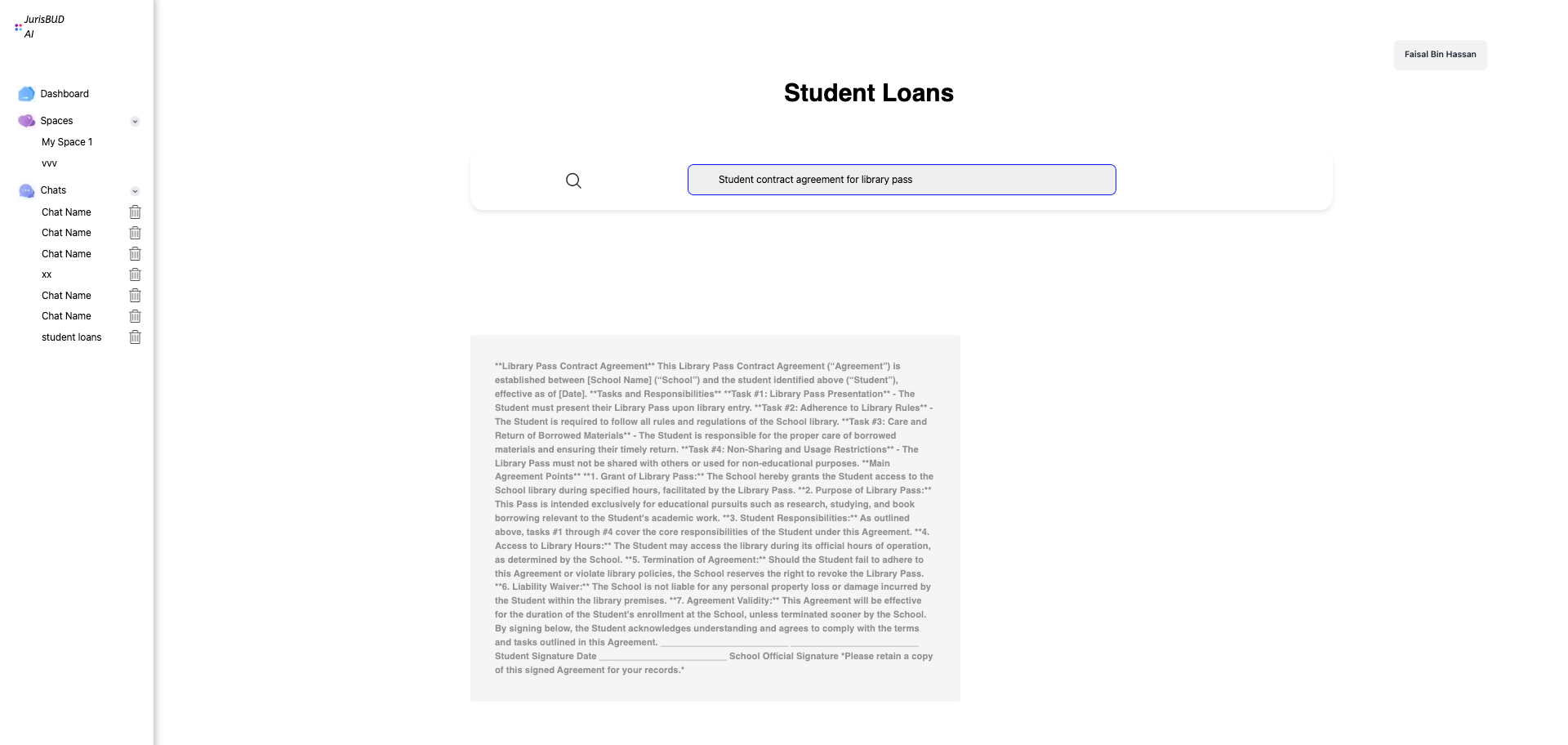
As user raise a query, the AI agents will work to generate a task list and then solve it with a respondse shown to the user. The AI agents implementation will be discussed later.
Space Implementation
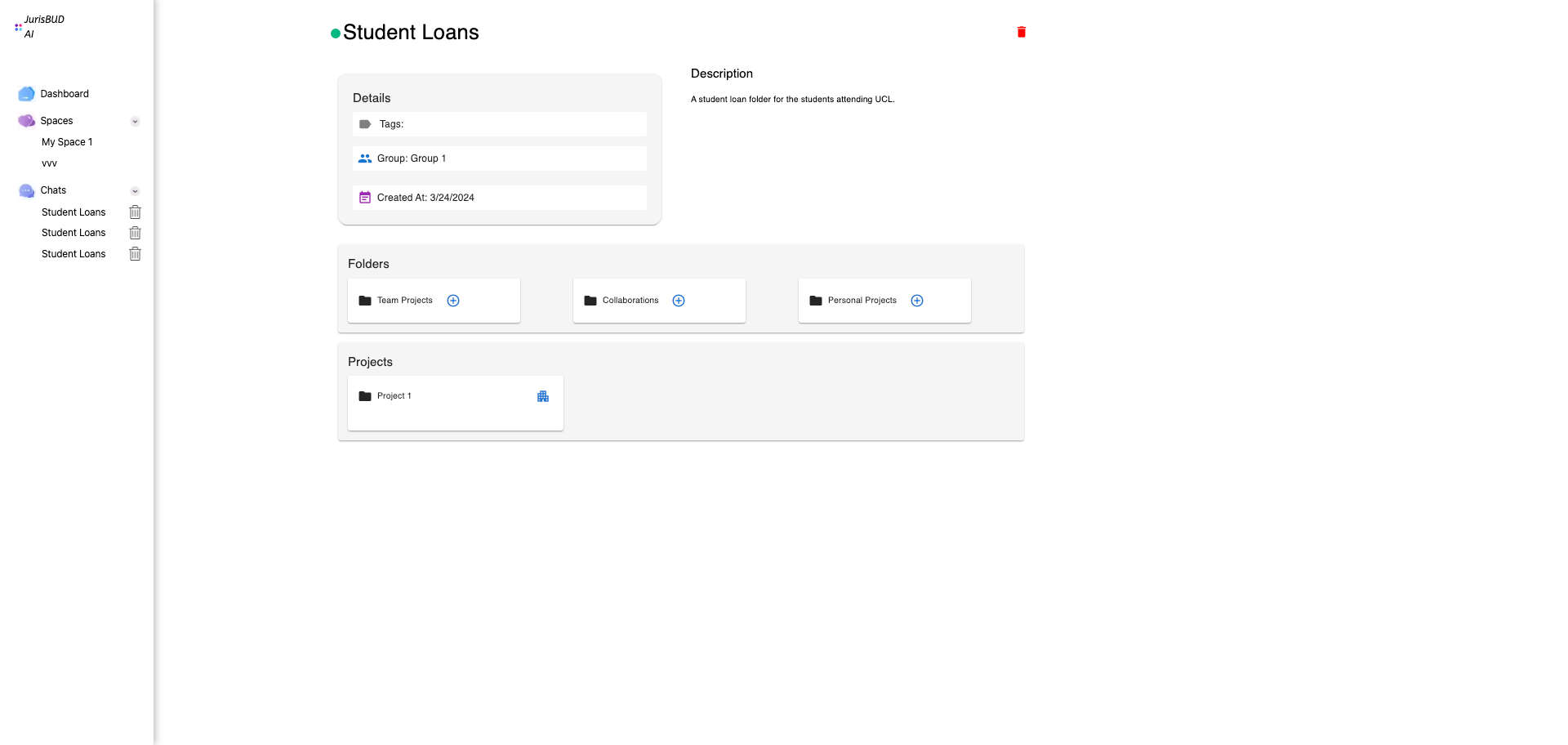
Space is the concept that used for categorization. It gives users an interface for managing multiple chats into one places with description, tags, and folders.
Frontend
                        interface Space {
                          id: number;
                          group: Group;
                          tags: Tag[];
                          name: string;
                          description: string;
                          created_at: string; // This could also be of type Date if you're converting strings to Date objects
                          owner: number; // Assuming 'owner' refers to the user ID, but you can change the type if needed
                        }

                        const Chats = ({ params }) => {
                          const [loading, setLoading] = useState(false); // S
                          const [space, setSpace] = useState();

                          useEffect(() => {
                            // You can use the 'id' here
                            if (params.id) {
                              apiClient
                                ...
Backend
                        class Space(models.Model):
                            name = models.CharField(max_length=100)
                            description = models.TextField(blank=True)
                            created_at = models.DateTimeField(auto_now_add=True)
                            tags = models.ManyToManyField(Tag, related_name='spaces')
                            group = models.ForeignKey(
                                Group, on_delete=models.CASCADE, related_name='spaces')
                            owner = models.ForeignKey(
                                'api.UserProfile', on_delete=models.CASCADE, related_name='owned_spaces')

                            def add_member(self, user):
                                self.group.members.add(user)
                                ...
Chats Menu Implementation
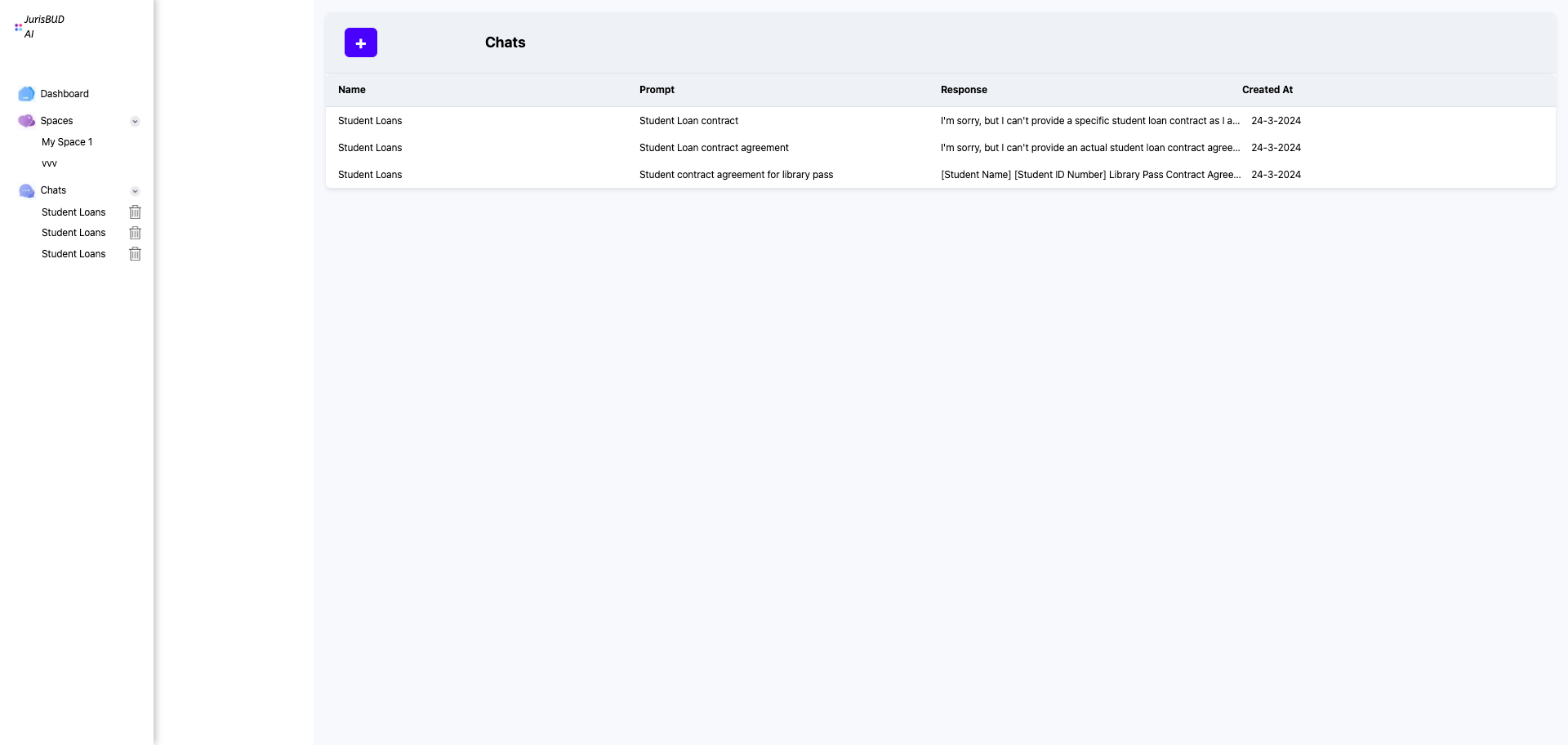
Chat Menu is a place for all chats staying together that being available for users to check anytime. It is binding with users' login information.
Frontend
                        useEffect(() => {
                          const getChats = async () => {
                            try {
                              const response = await apiClient.get("/chats", {
                                headers: {
                                  Authorization: "Token " + localStorage.getItem("token"),
                                },
                              });
                              if (response.ok) {
                                const data = await response.json();
                                setChats(data.chats);
                              } else if (response.status == 401) {
                                setIsAuth(false);
                                ...
Backend
                        @api_view(["GET"])
                        @authentication_classes([SessionAuthentication, TokenAuthentication])
                        @permission_classes([IsAuthenticated])
                        def list_chats(request, format=None):
                            chats = Chat.objects.filter(author=request.user)
                            serializer = ChatSerializer(instance=chats, many=True)
                            return Response({"chats": serializer.data})
                            ...
PDF to Text Extraction
PDF to Text is an important functionality for us to handleling PDF files to transfer them into embeddings in our database. It is implemented by Python package pdfminer.
                      def pdf_to_text(pdf_content):
                          """Converts PDF file to text using pdfminer."""
                          try:
                              # pdf_text = extract_text(pdf_path)
                              file_data = io.BytesIO(pdf_content)

                              pdf_text = extract_text(file_data)
                              # Convert the extracted text to a string
                              return clean_and_extract_important_text(pdf_text)
                          except Exception as e:
                              return str(e)