Requirements
Project Background
Dialogue Hub is a place dedicated to fostering inclusivity and accessibility, through their Dialogue Café,
they provide
a space where users, including the elderly and disabled, can book timeslots for the café, to
meet people of the same abilities with whom they can connect.
Dialogue Café is a multi-purpose sharing, empathy, and social inclusion project.
Dialogue Café wants the society to break the prejudiced approach towards disabled people and
to initiate a transformation of perception by emphasizing the existence of the individuals
in the society in pleasant and alternative ways.
Avanade, a global leader in digital
transformation and AI-driven solutions, specializes in leveraging Microsoft's technologies, including
Azure AI, to create intelligent and user-friendly digital experiences and can also be used for hosting &
holding data.
Through this partnership, Avanade will help Dialogue Hub overcome accessibility challenges
by developing a website with an AI-powered scheduling system, a custom AI chatbot for FAQs and booking
assistance, and essential accessibility features such as text-to-speech, high-contrast UI,
and voice commands. By combining Avanade’s expertise with Microsoft’s cutting-edge technology,
this collaboration ensures that Dialogue Hub provides a smooth, inclusive, and efficient
service for all users regardless of their abilities.
Primary Goals
Through our initial meeting with our clients and after thoroughly reviewing our initial project brief, we established a set of primary goals for the project that are key for a successful project outcome which will meet the needs of the Dialogue Café users.
Bookings Page
A user-friendly bookings page allows users to easily create bookings and view availabilities. This can also be used to host events/workshops for similarly abled people, where they can connect and share their experiences.
AI Chatbot
A fine-tuned AI chatbot which can answer FAQs about Dialogue Café, assist with bookings, and answer any other queries that users may have. This allows users to find out more about the Café and recieve assistance for any issues.
Accessibility Features
A range of accessibility features such as high contrast mode, text-to-speech, variable font size and voice commands to ensure that the platform is accessible to all users regardless of their abilities.
Menu with BSL videos
A menu page including sign language videos for each item on the menu, which can be viewed by hovering over the item. This feature is designed to make the platform more inclusive and allows for easy ordering.
Requirement Gathering
We conducted a semi-structured interview (chose semi-structured to allow flexibility
in conversation flow, enabling participants to share insights freely while guiding the
discussion with core questions) with 19-20 year old UCL Computer Science students, acting
as pseudo-users based on our personas, John and Ilsa.
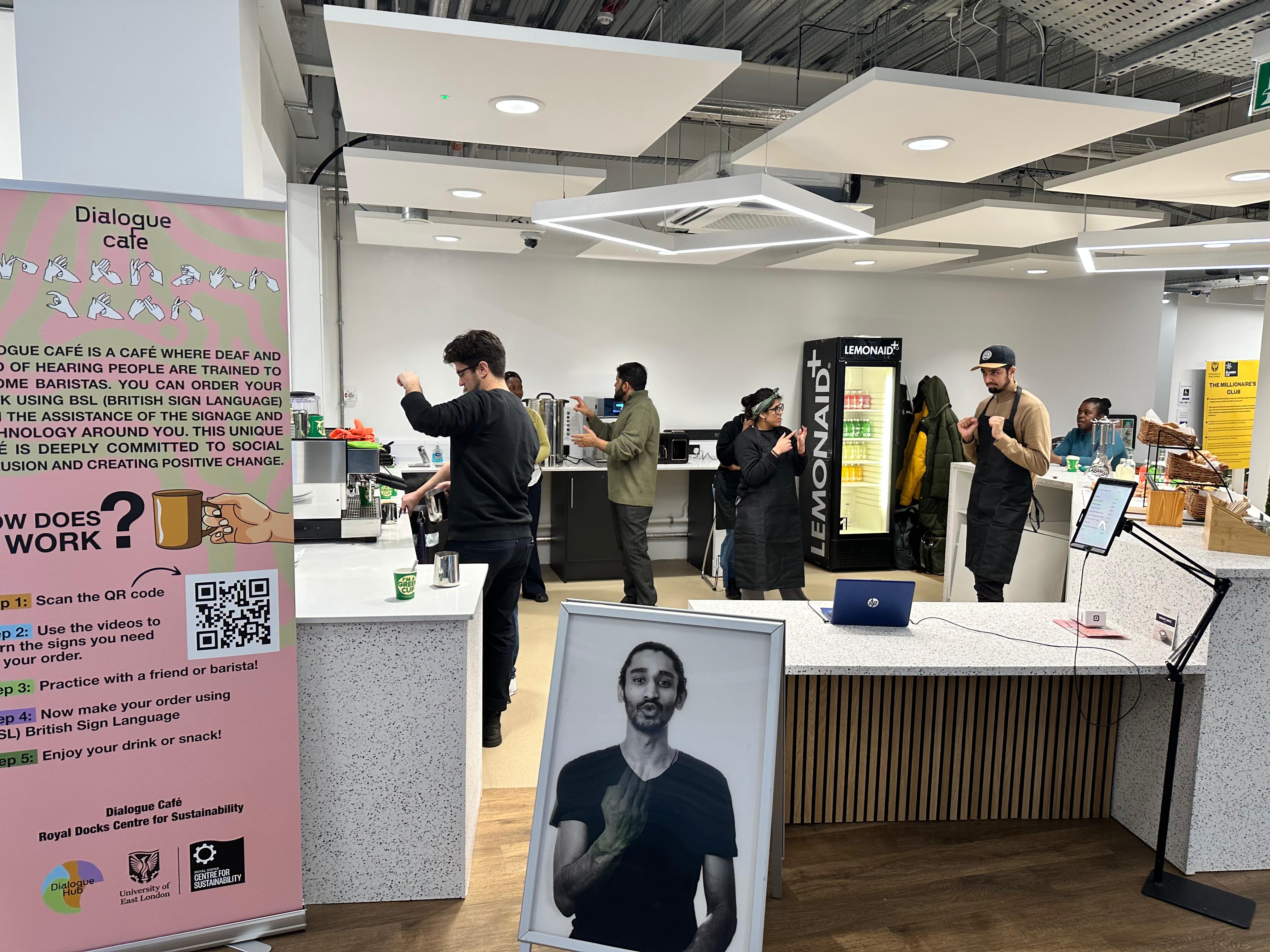
Along with this we also visited the café in person to understand the environment and
the needs of the users. Upon speaking to the CEO and the staff, we were able to gather
insights on the needs of the users and the main challenges the users and the café face currently.
From this we also identified a key requirement to have a responsive layout as the menu is displayed on a
tablet,
and users can
scan a QR code to access the website on their own devices.
Personas
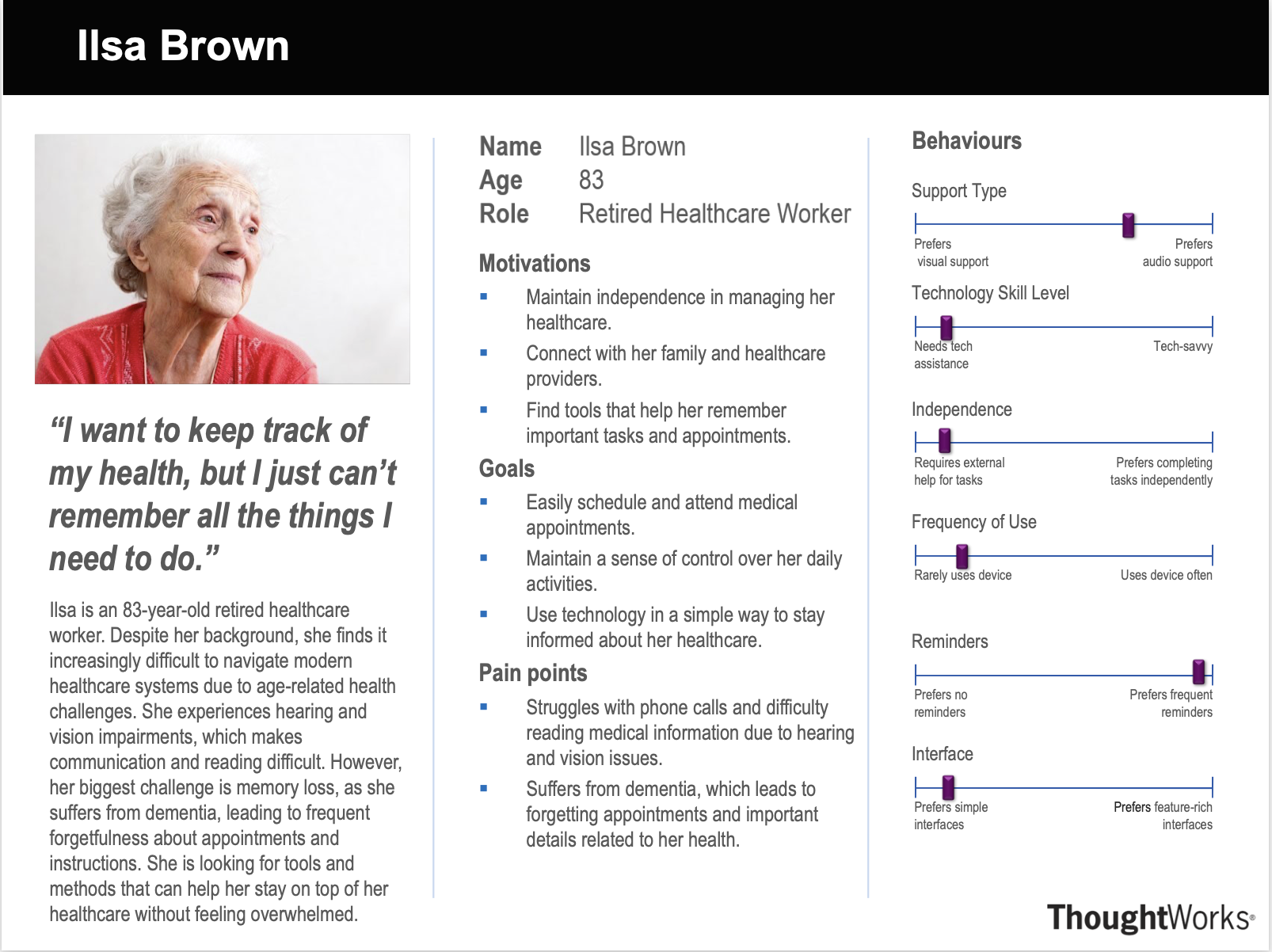
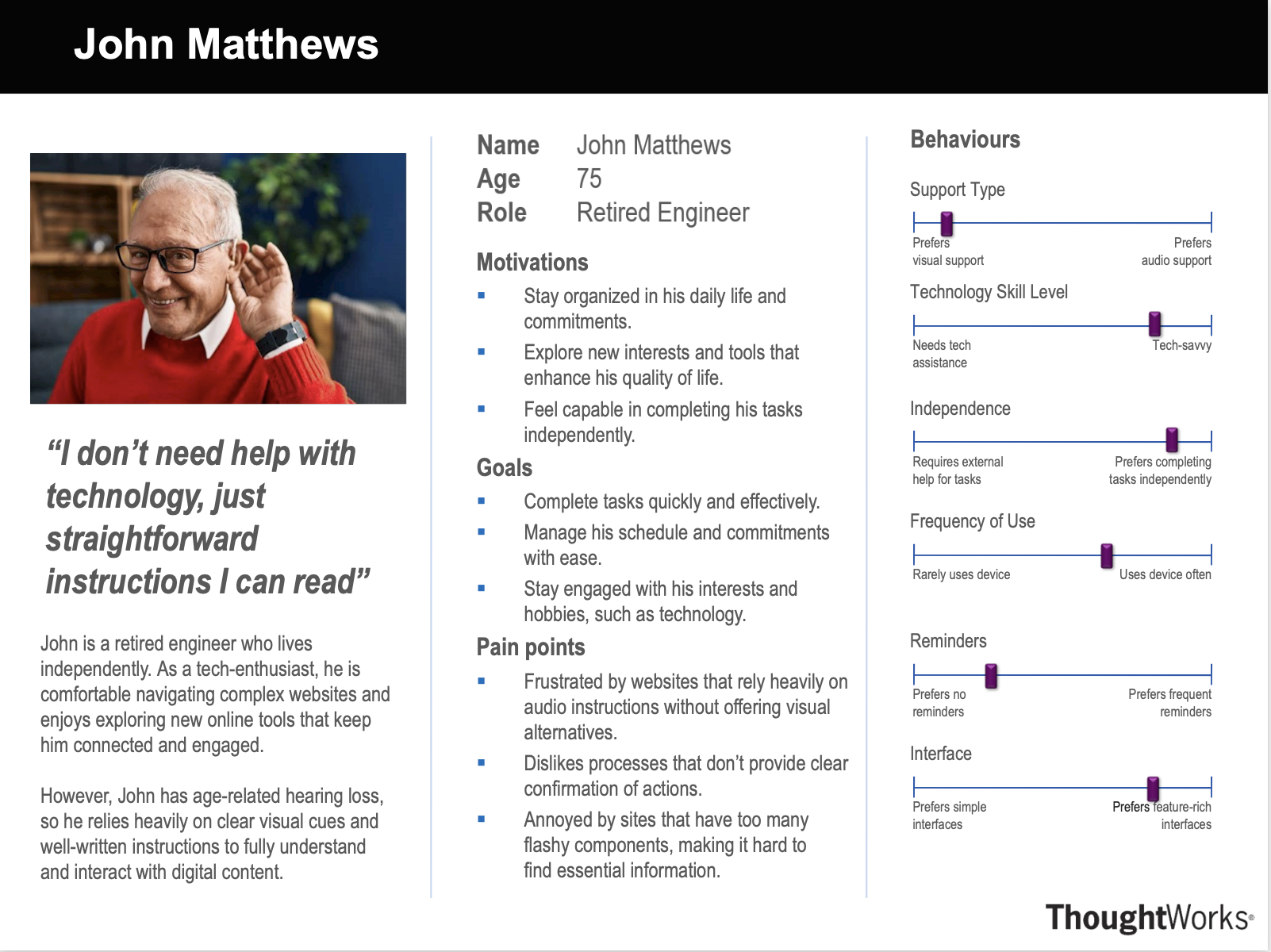
We created personas to represent the different types of users who will use the Dialogue Café website. These personas helped us to understand the needs and requirements of different user groups, and to design the website to meet their needs.
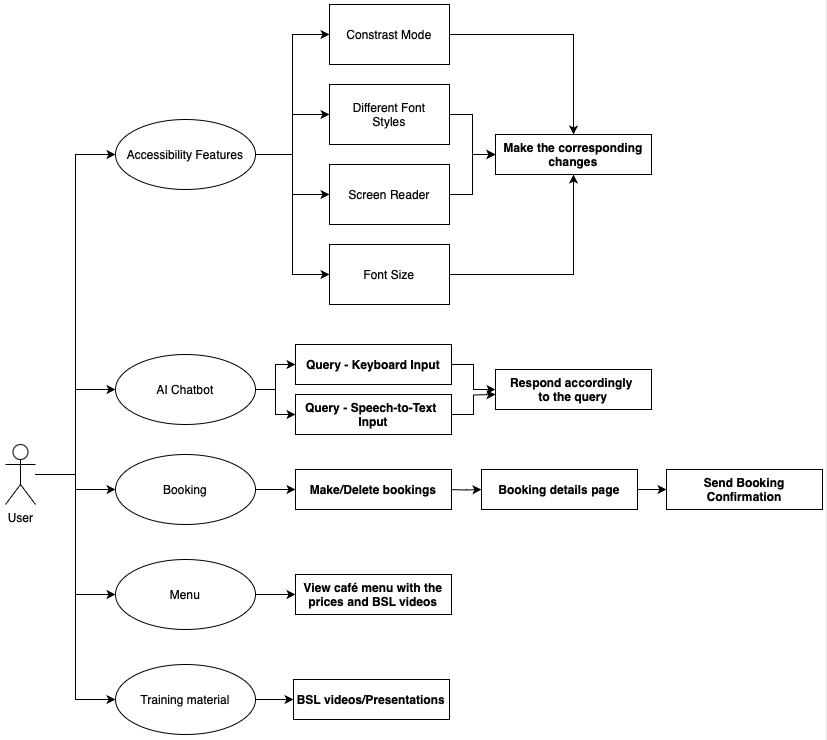
Use Cases
We developed a set of use cases to describe the interactions between users and the Dialogue Café website.
These use cases helped us to identify the key features and functionality that the website needs to
provide, and to design the website to meet these requirements.
MoSCoW Requirement List
We developed a set of MoSCoW requirements to define the key features and functionality that the Dialogue Café website needs to provide. These requirements helped us to prioritize the development of the website and to ensure that we deliver the most important features first.
Functional Requirements
| ID | Requirement | Description |
|---|---|---|
| 1 | AI Chatbot | An AI chatbot to help and enhance the user's experience on the platform. |
| 2 | Voice Input | AI chatbot and the Booking page must have voice input. |
| 3 | Accessibility Features | Text-To-Speech, High Contrast Mode, Adjustable Font Size, Screen Reader and different fonts. |
| 4 | Booking Time Slots | Able to book cafe time slots through a weekly grid and to be also able book for longer vists (Multiple timeslots). |
| 5 | Future Bookings | Able to navigate to future weeks and book in advance. |
| 6 | Email Confirmation | Email users with booking confirmation. |
| ID | Requirement | Description |
|---|---|---|
| 7 | Cafe Menu Page | Display café menu items on a separate page to allow for browsing of items and preparing of their order in BSL. |
| 8 | View Time Slot Availability | Able to view how busy the café is for any given timeslot. |
| 9 | Responsive Layout | The frontend should have a responsive layout which adapts to various screen shapes and sizes. |
| ID | Requirement | Description |
|---|---|---|
| 10 | AI can Create Bookings | AI chatbot can go through the booking process if given the necessary information. |
| 11 | AI has Database Context | AI chatbot should have access to database information, e.g., booking availabilities. |
| 12 | Public/Private Booking | Option to make booking public/private and see other public bookings. |
| 13 | Location Booking | Option to book certain locations in the cafe. |
| 14 | CRUD Booking Information | Able to amend booking information (CRUD). | 15 | Social Media Sharing | Able to share booking on social media (Instagram, Facebook, etc.). |
| ID | Requirement | Description |
|---|---|---|
| 16 | Organize Events | Able to organize events in the cafe. |
| 17 | Admin Dashboard | Admin dashboard for cafe staff. |
Non-Functional Requirements
| ID | Requirement | Description |
|---|---|---|
| 1 | Usability | The system must be easy to use and navigate for all users. |
| 2 | Maintanibility | The system must be easy to update and maintain, with well designed and documented code. |
| 3 | Safety | The AI chatbot must not be able to produce harmful or offensive content. |
| ID | Requirement | Description |
|---|---|---|
| 4 | Security | User data should be stored and transmitted securely. |
| 5 | Scalability | The system should be able to scale to support additional users and features. | 6 | Accessibility | The system should be compatible with external accessibility tools such as screen readers. |
| ID | Requirement | Description |
|---|---|---|
| 7 | Localization | The system could support multiple languages. |
| 8 | Performance | The system could be able to handle multiple users and load quickly. |
| ID | Requirement | Description |
|---|---|---|
| 9 | Offline Mode | The system won't support offline mode. |
| 10 | Legacy Browser Support | The system won't support legacy browsers. |
To produce a better product, several priorities may be slightly adjusted during
the development stage. This MoSCoW list continues to serve as the foundation for
the primary workflow, which directs our progress in the proper path.