Email Notifications
We are using SendGrid (opens in a new tab) as our email sending platform for partners. It is used to send notification emails to the system admin when a lecturer submits a registration request. SendGrid is an email delivery service that offers scalability, reliability, and integration with a wide range of platforms and applications. With SendGrid, we can easily handle large volumes of email, making it suitable for businesses of all sizes. It uses advanced algorithms to ensure that your emails reach their intended recipients and provides detailed analytics.
An alternative to using SendGrid is writing an email service from scratch. This may seem to be a preferable option, especially considering the scale of emails the system might send and its customizability. However, there are several reasons why writing an email service from scratch is not an effective option.
- Complexity: Developing an email sending service from scratch can be a complex and time-consuming process. It requires a deep understanding of email protocols, security, and deliverability.
- Maintenance: Building and maintaining an email sending service is an ongoing process that requires significant resources and expertise. You need to ensure that your service is always up-to-date with the latest security patches and email standards.
- Deliverability: Email deliverability is a complex and dynamic field that requires ongoing monitoring and optimization. Building your own email sending service may not provide the same level of deliverability as a specialized service like SendGrid.
- Cost: Developing and maintaining an email sending service can be expensive, particularly for small businesses. By using a specialized service like SendGrid, you can take advantage of economies of scale and benefit from lower costs and higher deliverability.
We designed our email notification architecture as illustrated by following diagram:
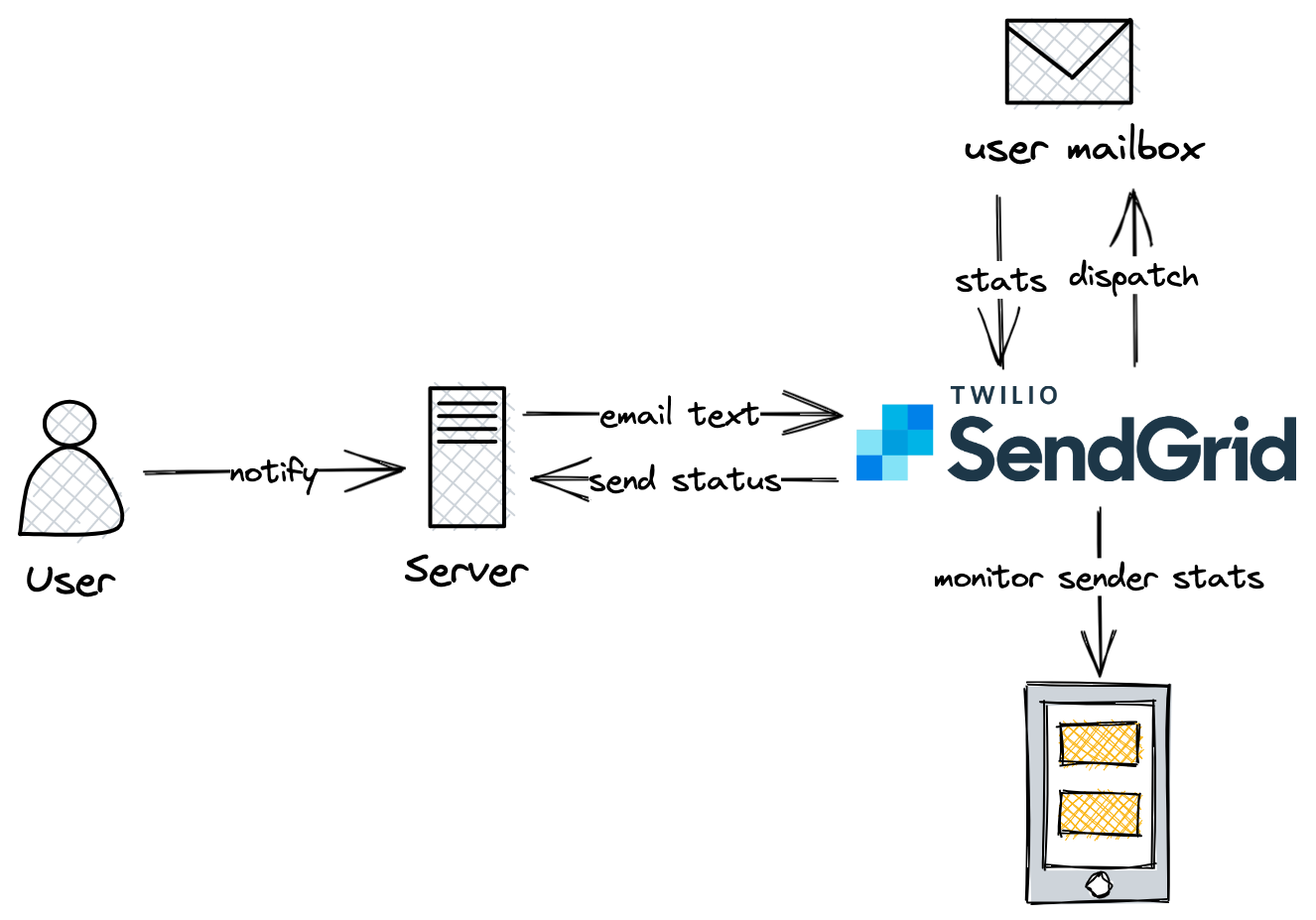
We are using SendGrid's Node.js library (opens in a new tab) to implement our solution. The example code will be as follows:
sgEmail.setApiKey(process.env.SENDGRID_API_KEY ?? '');
await sgEmail.send({
  to: receiverEmail,
  from: 'trafficlightcs@gmail.com',
  subject: 'New Lecturer Registration',
  text: `New lecturer registration: ${email}`,
  html: `<strong>New lecturer registration: ${email}</strong>`
});