Unit Tests and Integration Tests
We conducted unit and integration tests to ensure individual components in our application and the whole system as a whole function as intended. These are very common types of testing and their scope of usage is not limited to web applications. By spending time and resources on these tests, we are more confident that our application is robust and reliable. These tests catch issues early on in the development process, allowing us to address them before they become bigger problems. It also ensures that all the components work together seamlessly, providing a smooth user experience.
Unit Tests
In our development process, we take great care to ensure that each individual unit undergoes rigorous testing before integration. This is because we understand that integration tests will fail to achieve their expected level of correctness and efficiency if the individual units are not tested properly beforehand. To accomplish this, we have split the testing process into two parts: testing the user interface components and testing the blocks of code that perform specific functionalities.
Storybook
When it comes to the UI part, we rely on the Storybook library because we recognize that machines can't assess the aesthetics of UI or determine whether they are in line with our UI design principles. We can visualize each component and see it in action, making it easier for us to identify any issues before the component is integrated into the larger system.
One of the key advantages of Storybook is that it allows us to easily document each component and its functionality, ensuring that all components are well-documented. This, in turn, makes it easier for developers to understand how each component works and how to use it.
Another advantage of Storybook is that it enables us to test edge cases and different input combinations, making the application more robust by ensuring that all possible scenarios are tested and reducing the possibility of errors.
Due to limited space in this article, we will showcase only a few screenshots of the Storybook library.
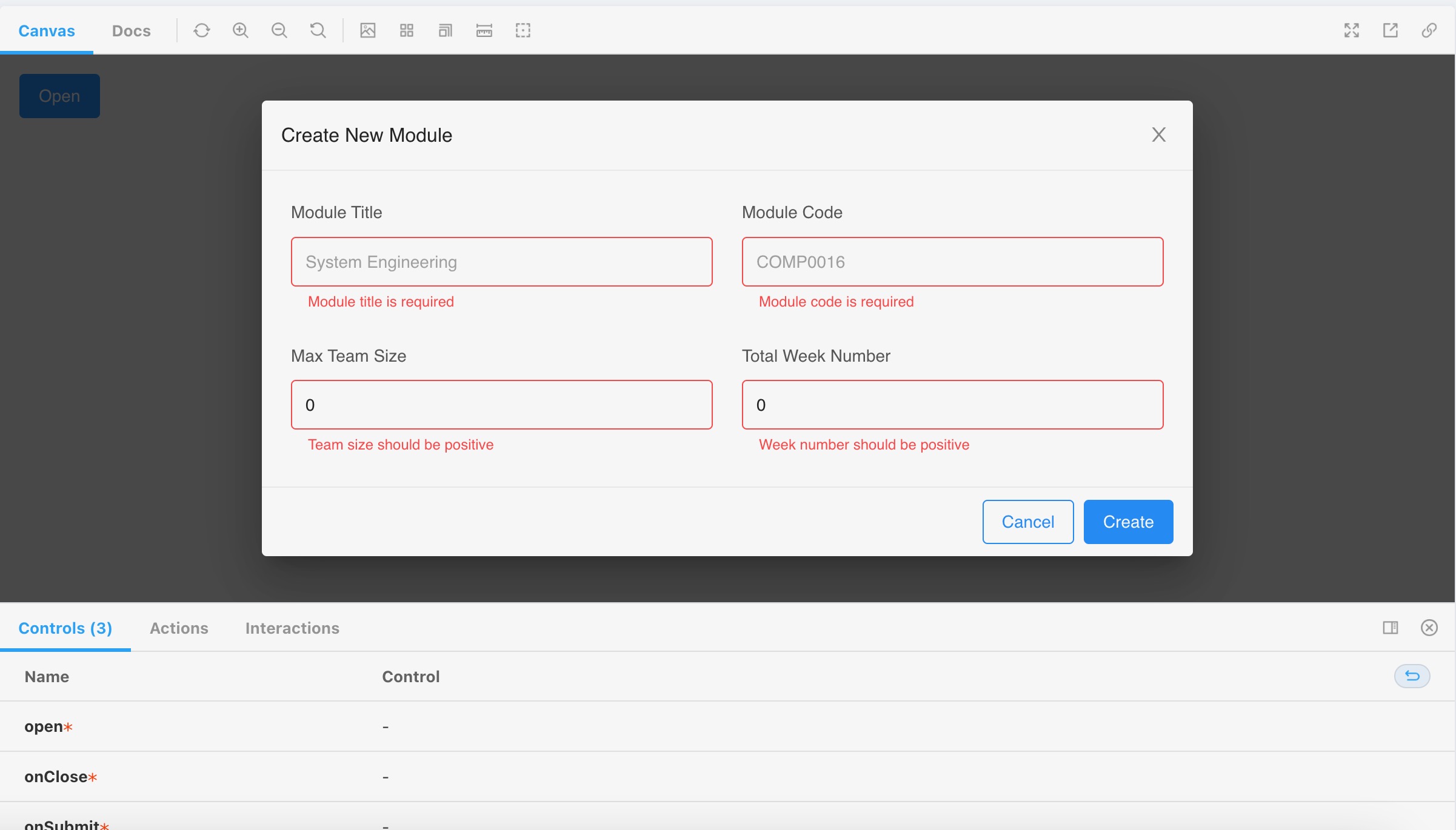
This example shows our input validation component in action. The component is used to validate user inputs and ensure that they are in the correct format. In this example, the user has not entered any input when trying to create a new module, so the component displays an error message to inform the user that the input is invalid.
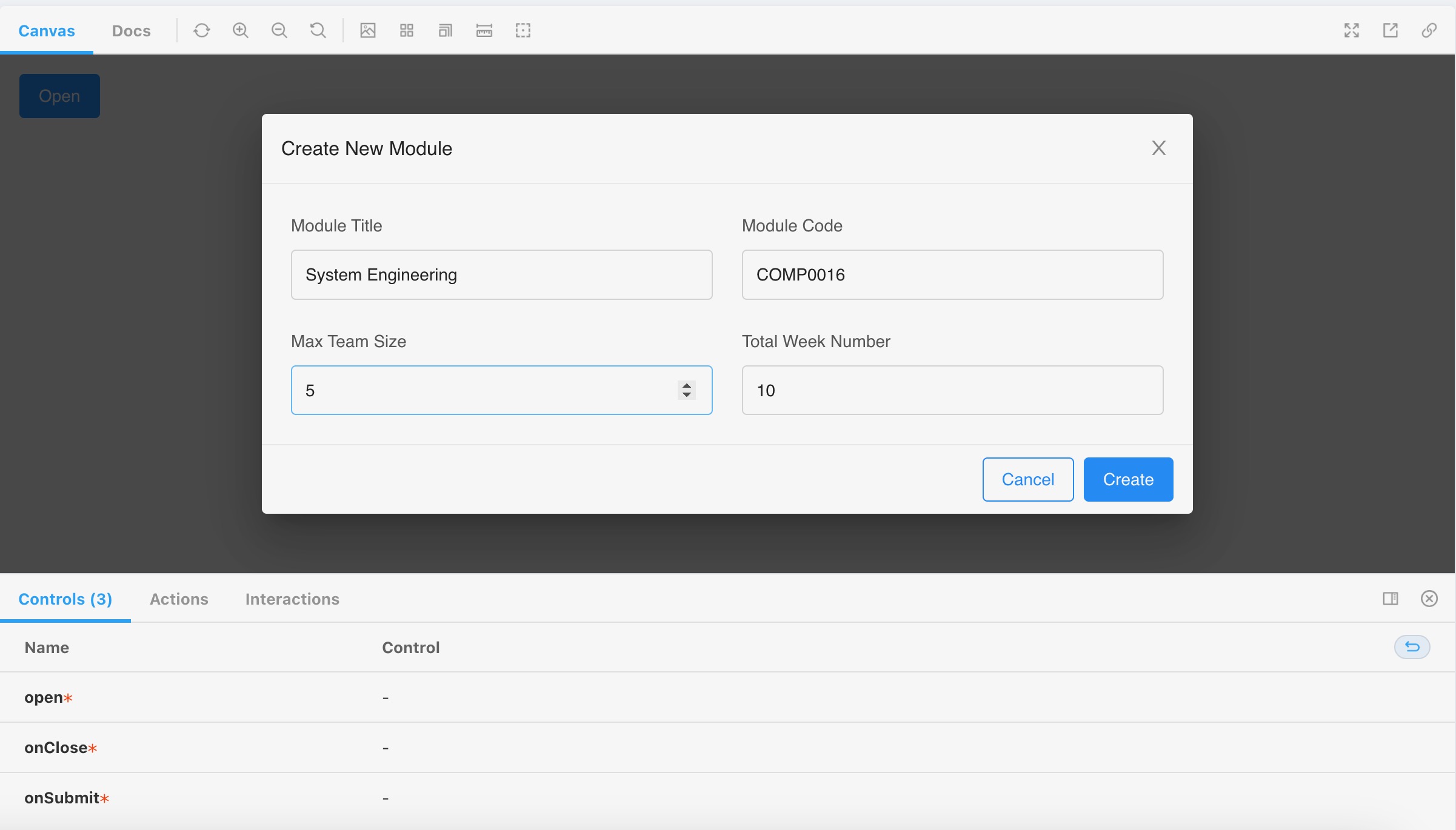
This example shows our module creation dialog when the user has entered a valid input. The component will not raise any errors and the user can proceed to create the module by simply clicking the "Create" button.
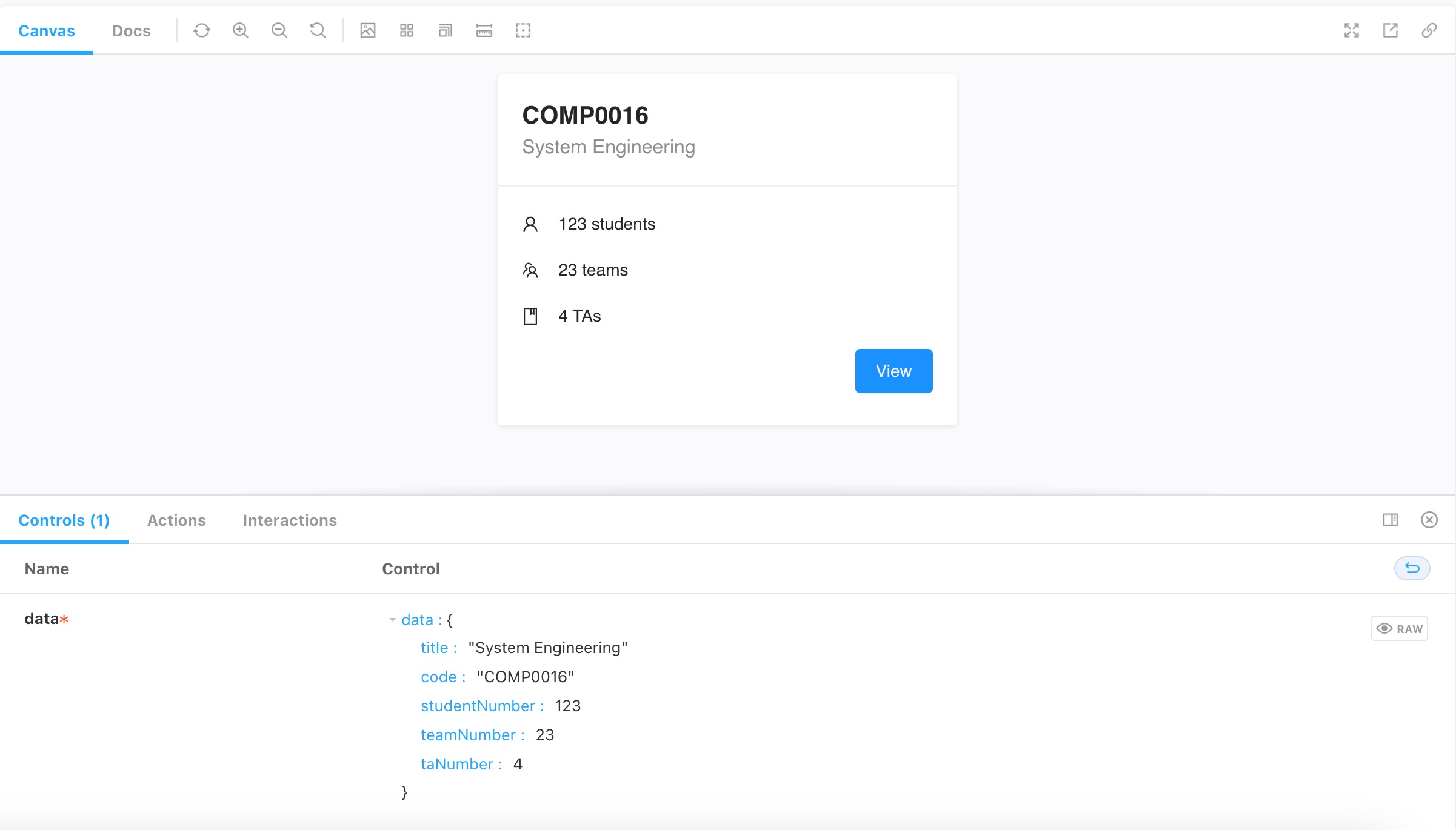
This example shows our module card component that will be used in the dashboard for all users. With cards, users can easily view the information of each module and access the module's content. As there is a strict input validation mechanism in place when creating a module, the module card will always display valid information.
JEST
For the technical tests, we use JEST to automate the testing of blocks of code. JEST is a testing framework created by Facebook that provides a wide range of features, such as mocking modules and running tests in parallel. By using JEST, we can ensure that our code is reliable and functions as expected.
One of the major advantages of JEST is its simple and easy-to-use API, which enables developers to write tests quickly and efficiently. The framework also generates coverage reports, which allow us to see which parts of the code are not being tested and need further attention. Additionally, JEST comes with a built-in watch mode, which instantly re-runs tests when changes are made to the code, making the testing process even more efficient.
By incorporating these two libraries into our testing process, we can ensure that each component is functioning as intended and we are confident to proceed to the integration testing phase.
Integration Tests
We have completed thorough integration testing to ensure that the system functions properly as a whole. This is important for web applications because they typically consist of many different components that work together to create the final product. If any of these components fail to function properly, it can significantly impact the user experience and result in frustrated users. Therefore, it is important to test the system as a whole to ensure that all the components work together seamlessly.
We use React Testing Library to help us streamline the process of doing integration testing, helping ensure testing efficiency and effectiveness. React Testing Library is a testing library that allows developers to test their React components as the name suggests. It provides a set of utilities that make it easy to test React components in a way that simulates how users interact with them. One of the key advantages of React Testing Library is that it encourages developers to write tests that closely resemble how users interact with the component. And it provides a set of utilities that make it easy to test the state of a component.
We adapt the code snippets found in the book, Simplify Testing with React Testing Library : Create Maintainable Tests Using RTL That Do Not Break with Changes by Scottie Crump. [1]. This way, we can be confident that the testing code is bug-free and thorough. For example, to test our GraphQL components, we adopt the following snippet:
This is a sample query for course data.
export const COURSES = gql`
  query GetAllCourses {
    courses {
      id
      title
      code
      projects { ... }
    }
  }
This defines an Apollo Client and is used to communicate with the GraphQL server.
client = new ApolloClient({
  uri: 'http://localhost:4000',
  cache: new InMemoryCache()
})

const App = () => {
  return (
    <ApolloProvider client={client}>
      <Table />
    </ApolloProvider>
  )
}
This defines some mock data for testing.
const mocks = [
  {
    request: {
      query: COURSES
    },
    result: {
			data: {
        courses: [
          {
            id: faker.random.uuid(),
						title: faker.name.productName()
						code: faker.random().toString()
            projects: [ ... ]
          },
					...
        ]
		}
	}
]
This is a test with a descriptive name that given the completed state, course data should be rendered.
test('given completed state, renders courses data', async () => {
  render(
    <MockedProvider mocks={mocks}>
      <Table />
    </MockedProvider>

  )

	await act(() => new Promise(resolve => setTimeout(resolve, 0)))

  screen.debug()

	expect(screen.getAllByTestId('row').length).toEqual(2)

 })
This test is to test that given the error state, error messages should be rendered.
test('given error state, renders error message', async () => {
  const mocks = [{ request: { query: COURSES }, error: new Error() }]
  render(
    <MockedProvider mocks={mocks}>
      <Table />
    </MockedProvider>
  )

  await act(() => new Promise(resolve => setTimeout(resolve, 0)))

  expect(screen.getByText(/Error/i)).toBeInTheDocument()

})
In addition to GraphQL, we use some very helpful snippets to test MUI components working together. For example, we use the following snippet to test the flag functionality for the TA portal.
test('TA should flag the project', () => {
  render(<FlagProject marked={false} />)

  const markBtn = screen.getByRole('button', { name: /flag-project/i })

  user.click(markBtn)

  expect(markBtn).toHaveStyle({ backgroundColor: 'red' })

  user.click(markBtn)
  user.click(markBtn)

  expect(markBtn).toHaveStyle({ backgroundColor: 'red' })
})
In summary, integration testing is a crucial step in ensuring the reliability and effectiveness of any system. React Testing Library and the code snippets found in Scottie Crump's book help us write effective tests with robust foundations.