Responsive Design Testing
We conducted responsive design testing to optimize our application for various screen sizes and resolutions, ensuring a consistent experience across all devices. This testing verifies the application's ability to adjust its interface based on the screen size and accessibility of all interface elements. It is crucial to conduct responsive design testing because users expect seamless functionality on any device. A poorly optimized application can lead to a frustrating user experience and negatively impact adoption and popularity. By conducting responsive design testing, we ensure a seamless experience for all users, including those on tablets and phones, even though our application is developed primarily for desktop users.
To conduct responsive design testing, we leveraged the DevTools of Google Chrome. Since it is built into one of the most popular browsers, it is a greatly accessible tool without much prior configuration or installation. And it is easy to find help or guides online should any question arise during the development. The general procedure is:
-
After arriving at the desired page to perform the test, open the Chrome DevTools by right-clicking on the web page and selecting "Inspect" or pressing the F12 key. In the DevTools window, click on the "Toggle Device Toolbar" button (or press Ctrl+Shift+M, or on a Mac device Cmd+Shift+M) to open the Device Toolbar.
-
In the Device Toolbar, select the device you want to emulate from the dropdown menu. We can also enter a custom resolution for your viewport as well. Use the Device Toolbar to test the website's responsiveness by interacting with the website as normally would and see how it adjusts to different screen sizes.
There is an option to test different CSS styles or layouts, but due to time constraints and practical considerations after evaluating its usefulness in the context of our project, we decided not to perform such further tests.
| Device | Result |
|---|---|
| Full-screen Desktop Browser | Normal |
| Shrinked Desktop Browser | Normal |
| iPhone SE | Normal |
| iPhone 12 Pro | Normal |
| Pixel 5 | Normal |
| Samsung Galaxy S20 Ultra | Normal |
| Surface Duo | Normal |
| iPad Air | Normal |
| iPad Mini | Normal |
| Surface Pro 7 | Normal |
Here are some screenshots of our application on different devices:
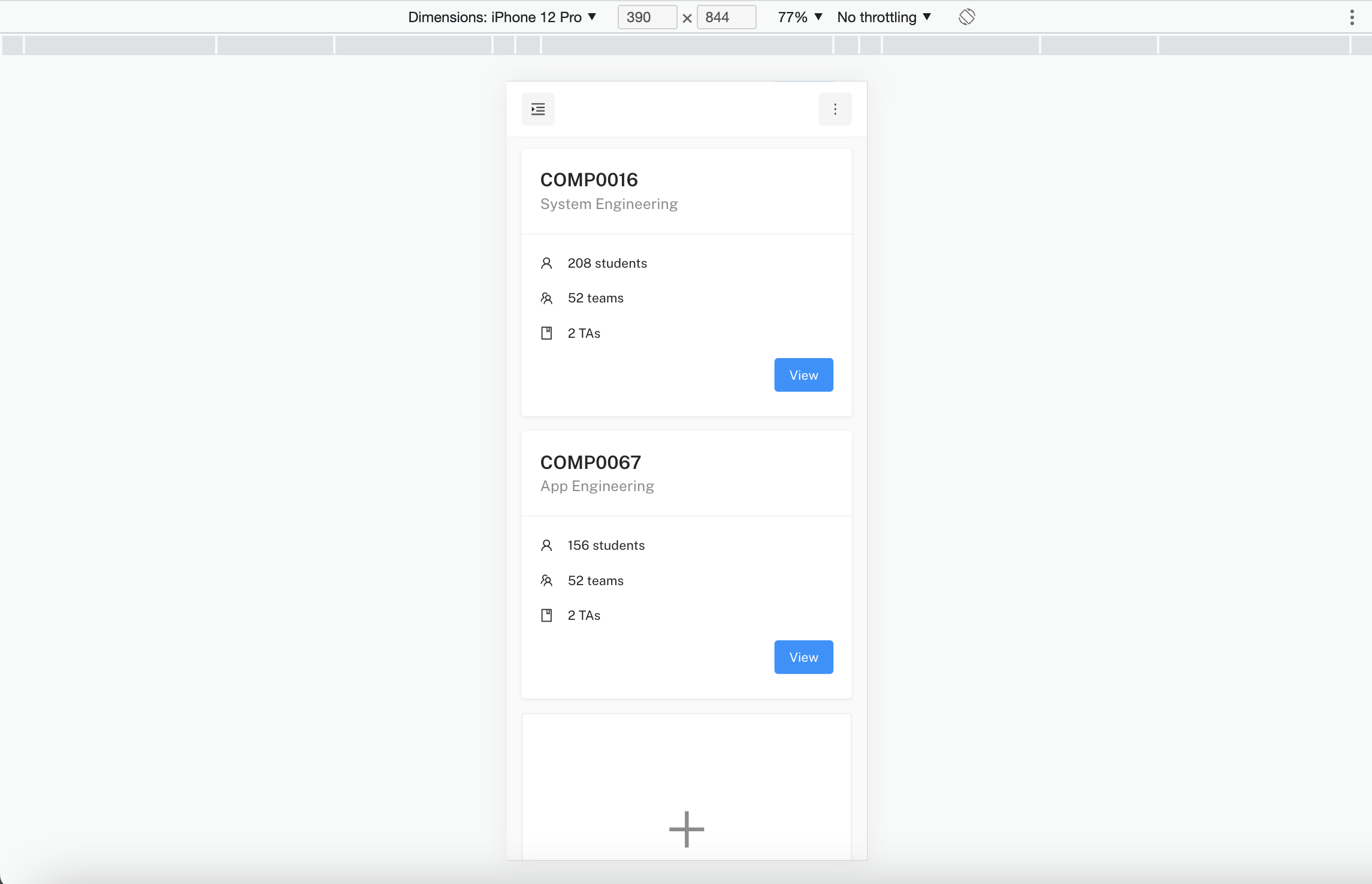
iPhone 12 pro is a popular phone with a large screen. We can see that our application is responsive to the screen size and the Lecturer's dashboard is displayed correctly.
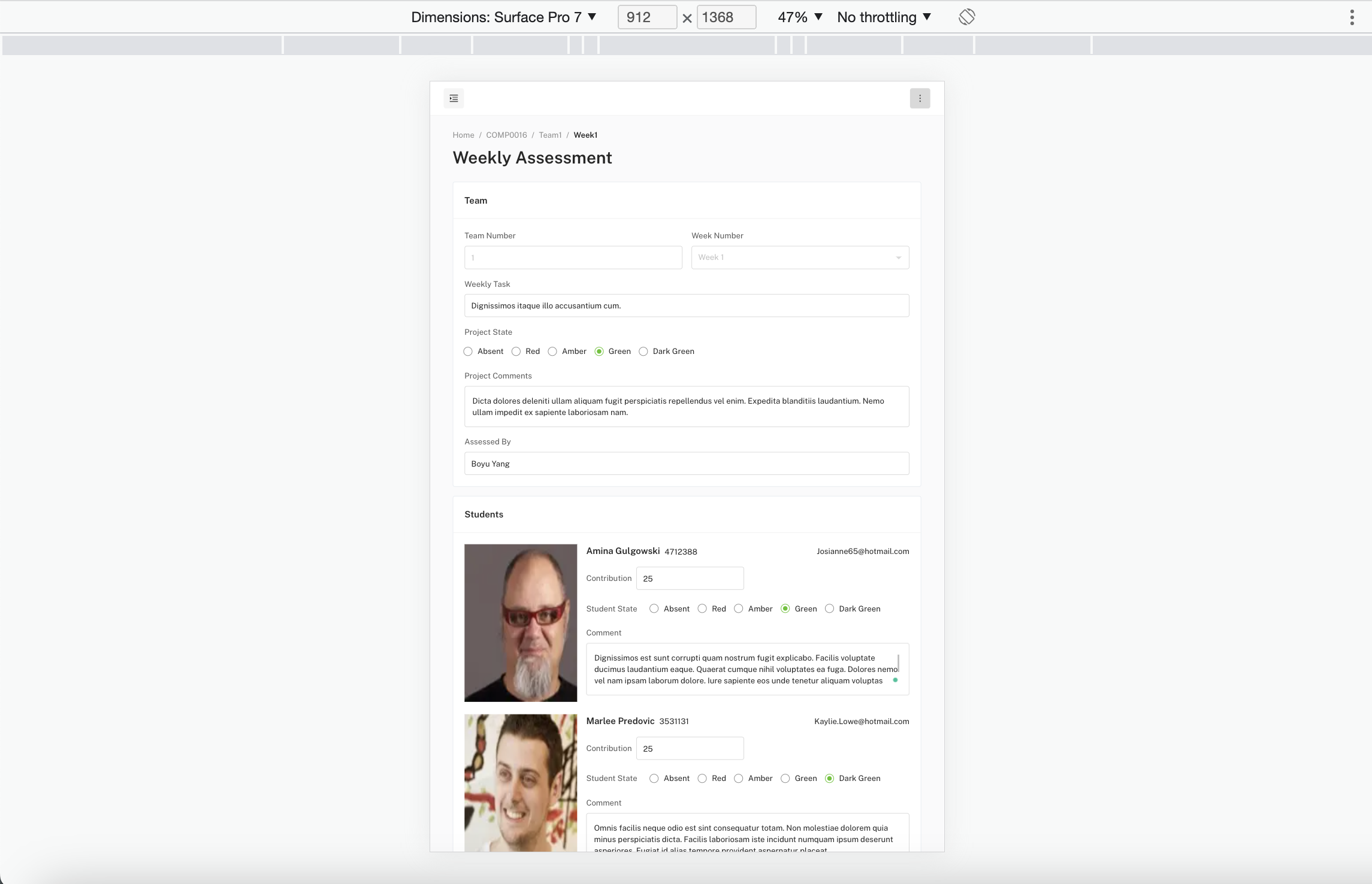
Surface Pro 7 is a popular tablet with a large screen. We can see that our application is responsive to the screen size and the TA's weekly assessment page is functioning as desired.
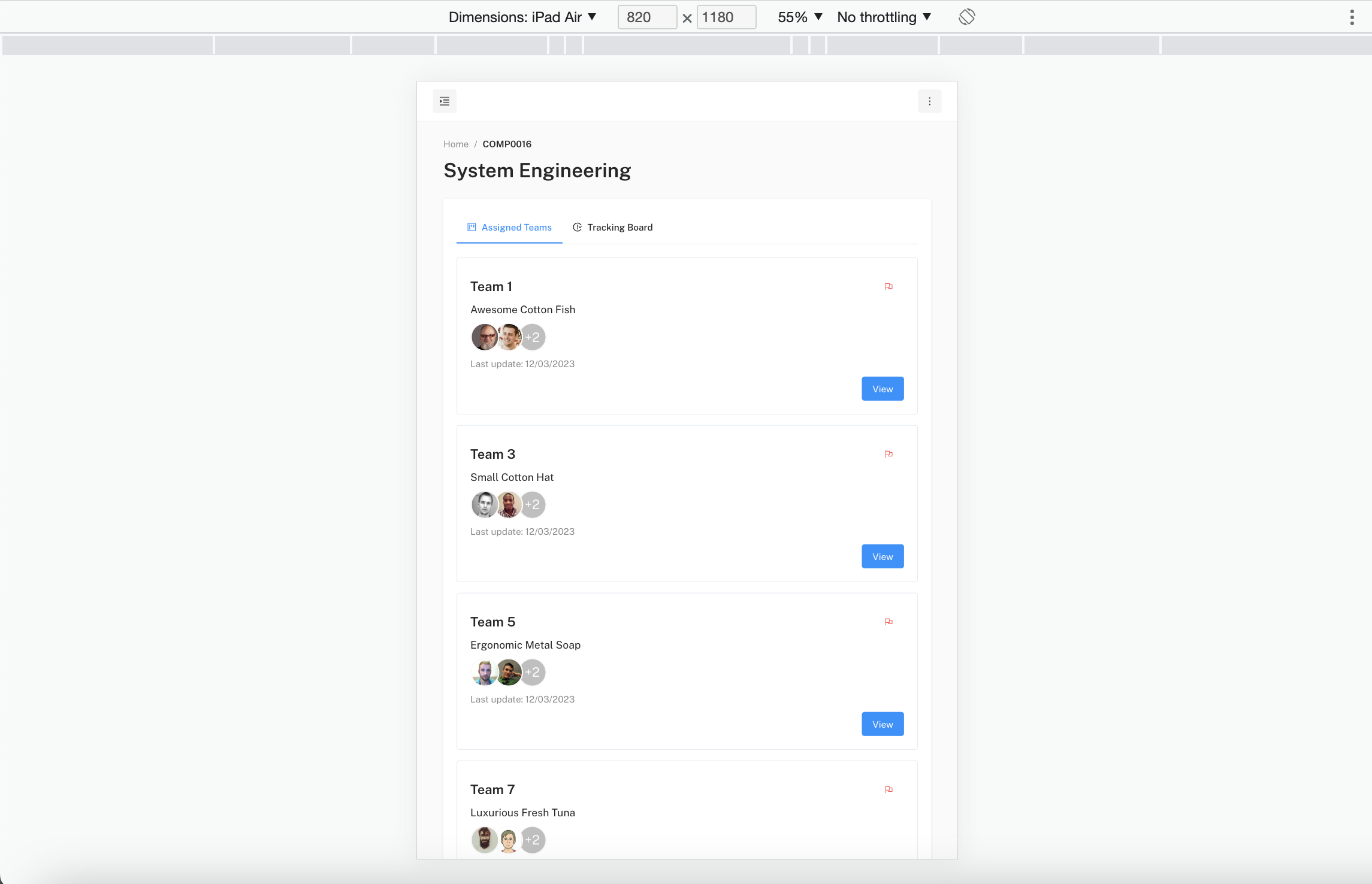
iPad Air is a popular tablet with a large screen. We can see that our application is responsive to the screen size and the TA's teams page is functioning as desired.
Our thorough testing process included testing the application's responsiveness, user interface, and functionality on all tested devices. After performing extensive testing on different sizes of desktop browsers, phones, and tablets, we are proud to say that our application passed all tests. We are confident that our users will have an excellent user experience as we have tested every feature of our application on a range of devices.