Related Projected Review
When it comes to requirements gathering, it's important to analyze all available alternatives. By doing this, we can gain a better understanding of what currently exists in the market and whether or not there are solutions or products that can satisfy the client's needs. Analyzing alternatives can also help to identify areas where the proposed solution can be improved upon, making it more competitive and a better fit for the client's needs.
However, it's important not to limit ourselves to analyzing pros and cons of these alternatives in terms of addressing our problem. By studying alternatives, the project team can also identify new and innovative solutions that may not have been considered before. This can lead to a more creative and effective final product that meets the client's needs in ways that were not previously thought of.
Overall, taking the time to analyze alternatives during requirements gathering helps us to gain new perspectives and avoids some mistakes in previous implementations.
We analyzed the following alternatives: Google Sheets, Smartsheet, Canvas, and previous implementations by Hai Xia, a BSc student at UCL, and 4 MSc students at UCL.
Google Sheets
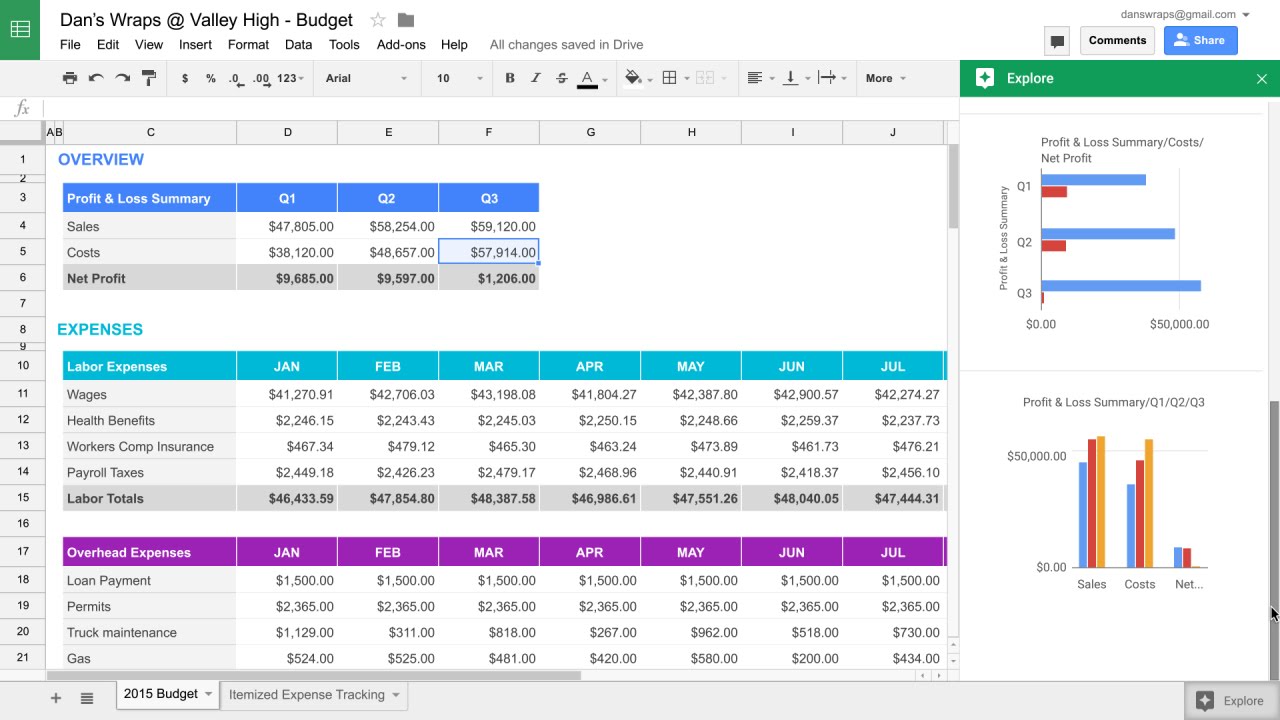
Google Sheets is a widely used online spreadsheet application that supports collaborative editing [1]. It is adopted by TAs currently due to ease of use, but it is a laborious process to enter or process entries. Advantages:
- Resemble a traditional paper spreadsheet and no prior learning required. There are built-in arithmetic support and data visualizing features, although it may take some time to learn to utilize these powerful features.
- Easy error correction through redoing, undoing, and rolling back to previous versions. And it provides limitless customizability thanks to its simplicity.
- Easy to share with other collegues. Edits can be made in real-time and the changes are automatically saved.
Disadvantages:
- Completely manual process for TAs to enter the data each week for each student. And mistakes are possible because it can be tricky to navigate to a specific cell in a huge spreadsheet.
- The system has no built-in mechanism to check for errors in the data entered. For example, when the TA typed a 2 instead of a 3, the lack of color as visual guidance makes it hard to spot the mistake.
Smartsheet
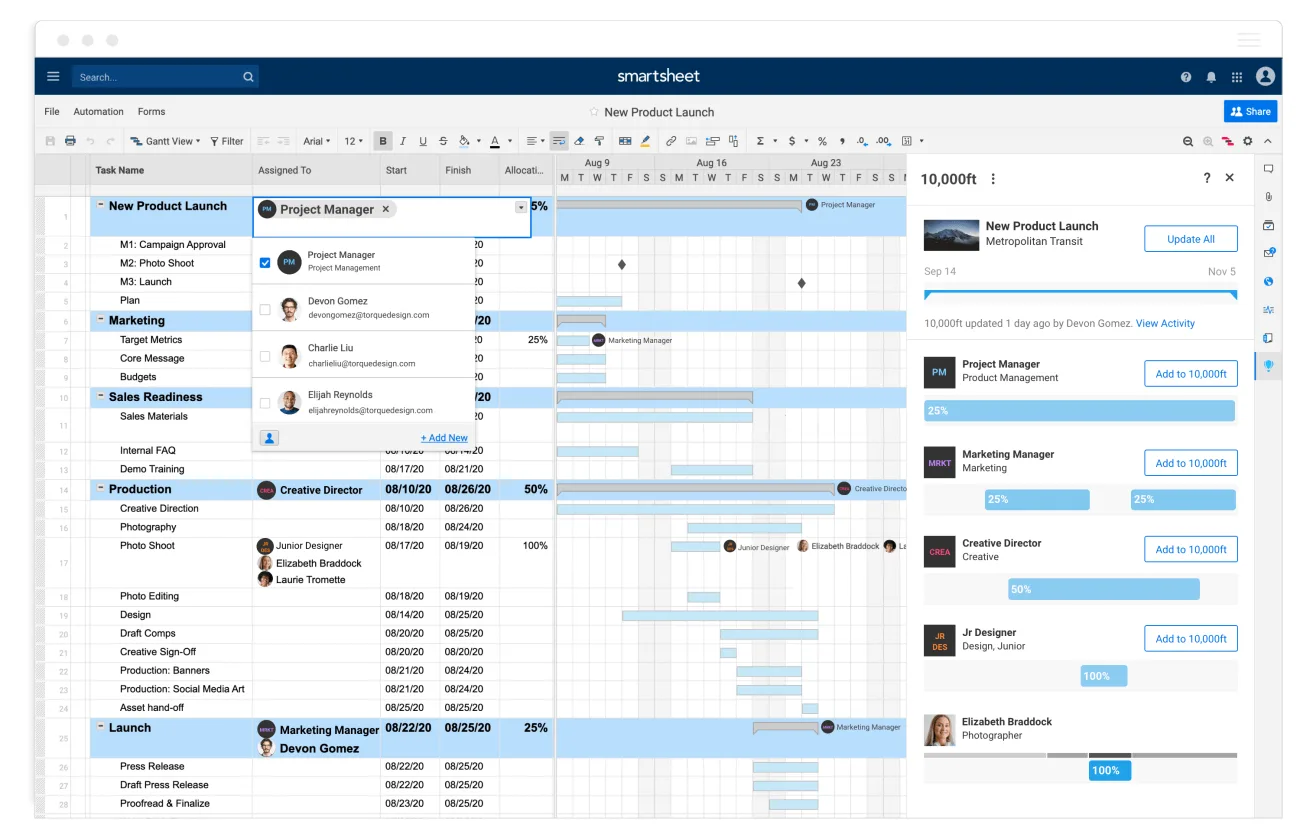
Smartsheets is a dynamic work platform that includes many advanced project management tools and incorporates built-in integration with common applications. [2]
Advantages:
- Significant UI improvement from vanilla spreadsheet app: a modern, professional, and clean UI. Although it is packed with a plethora of features, the UI is not cluttering.
- Icons, terms, and layouts remain consistent throughout the application. Users will not be very confused after familiarizing themselves with the workflow.
Disadvantages:
- Steep learning curve for first-time users as it requires familiarity to fully take advantage of its rich functionalities.
- Unnecessarily costly to maintain. It is a paid service and the Department is likely unwilling to pay for a service that is only used in certain classes.
- Difficult to fully customize it to suit the users' needs, partly because it boasts so many features that are either too advanced or irrelevant for users
Canvas
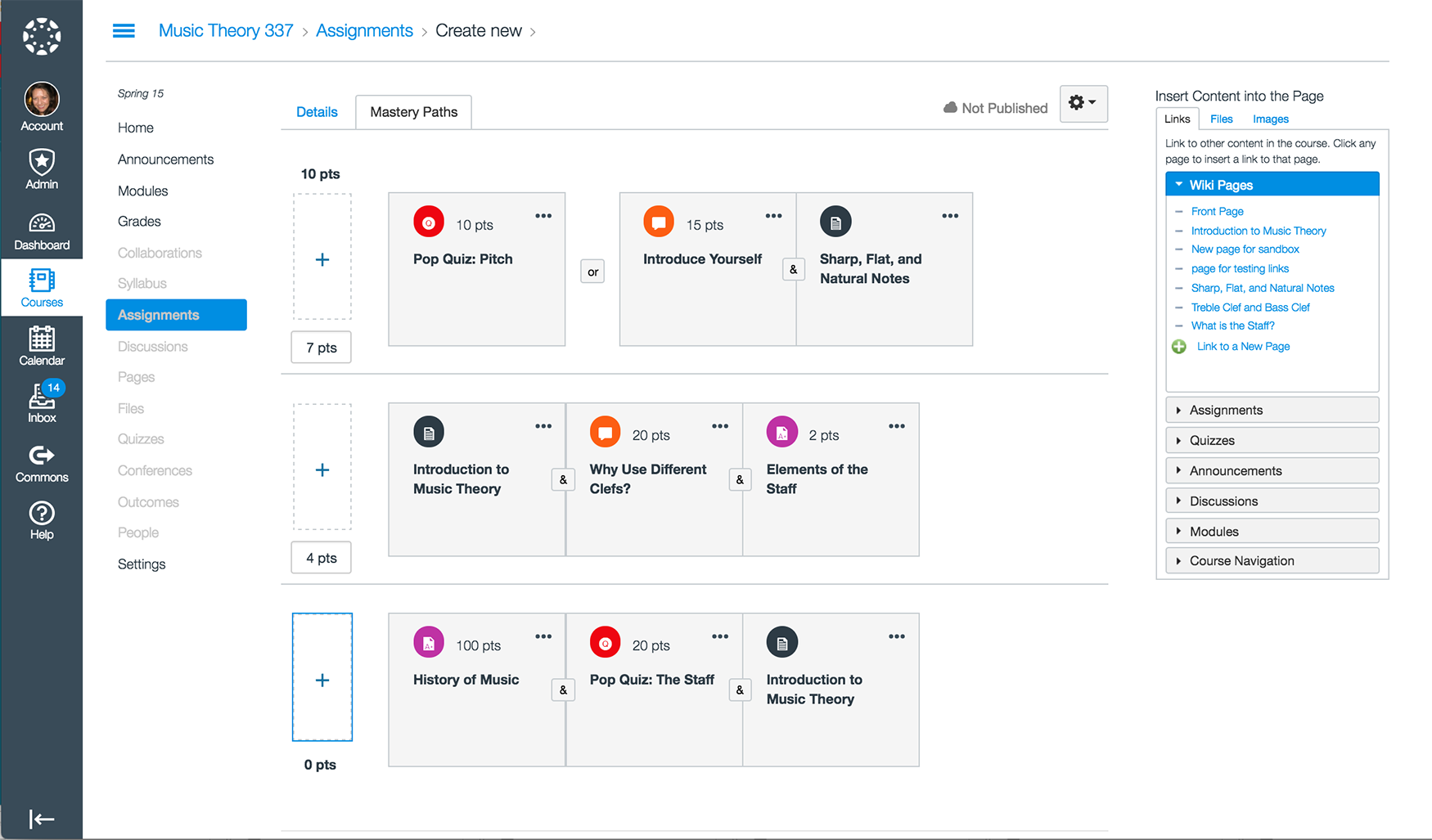
Canvas is a learning management system used by all Ivy League Universities. It has easy content delivery and feedback provision and an excellent mobile application. [3]
Advantages:
- Smooth workflow for delivering content, providing feedback, etc. Also includes a mobile application with a large set of features and similar workflow
- Clear and comprehensive documentation with a large community of users as well. I encountered some trouble when trying to submit an assignment on the website and I can refer to the documentation to resolve the issue.
Disadvantages:
- Despite intuitive UI and clear documentation, it still takes time for users to fully grasp the workflow to maximize their productivity, especially for inexperienced users as Canvas is quite different from Moodle.
- Unnecessary complicated to maintain. It required a lot of effort to properly set up the system which is too resource-intensive for the delievry of several modules.
- Due to its design to be mainly used for lecture-based classes, it may not fully address Dr. Fu' s proposed requirement: a centralized web application for clients, lecturers, and TAs to manage project-based courses.
Previous Implementation by Hai Xia
This is a student project by Hai Xia in 2018, the first iteration of the Traffic Light System. It offers a good starting point as it includes major features but lacks seamless mobile support, the ability to deploy to other universities, and a different interface for lecturers and TAs. [4]
Advantages:
- A clean and straightforward UI that users can effortlessly navigate to the component they intended to use and use it without much instruction
- Color choice, data visualization, and the arrangement of components, to name a few, match users' established norms and reflect what is specified in the requirements
- A fully working system with the majority of functionalities implemented. It includes features like user authentication, data visualization in the form of a bar chart or a graph, and more.
Disadvantages:
- Unclear response should an error occur, for example, the requirement did not clearly indicate what would happen if a TA accidentally assigned incorrect marks to students.
- Lack a reference or documentation for users when encountering a difficult problem. They can only refer to administrators if an issue arises.
- No built-in system migration and backup functionality, a key feature requested by clients. Users or admins cannot export data in the system to other formats and cannot create routine backups to ensure data safety.
Previous Implementation by 4 MSc Students at UCL
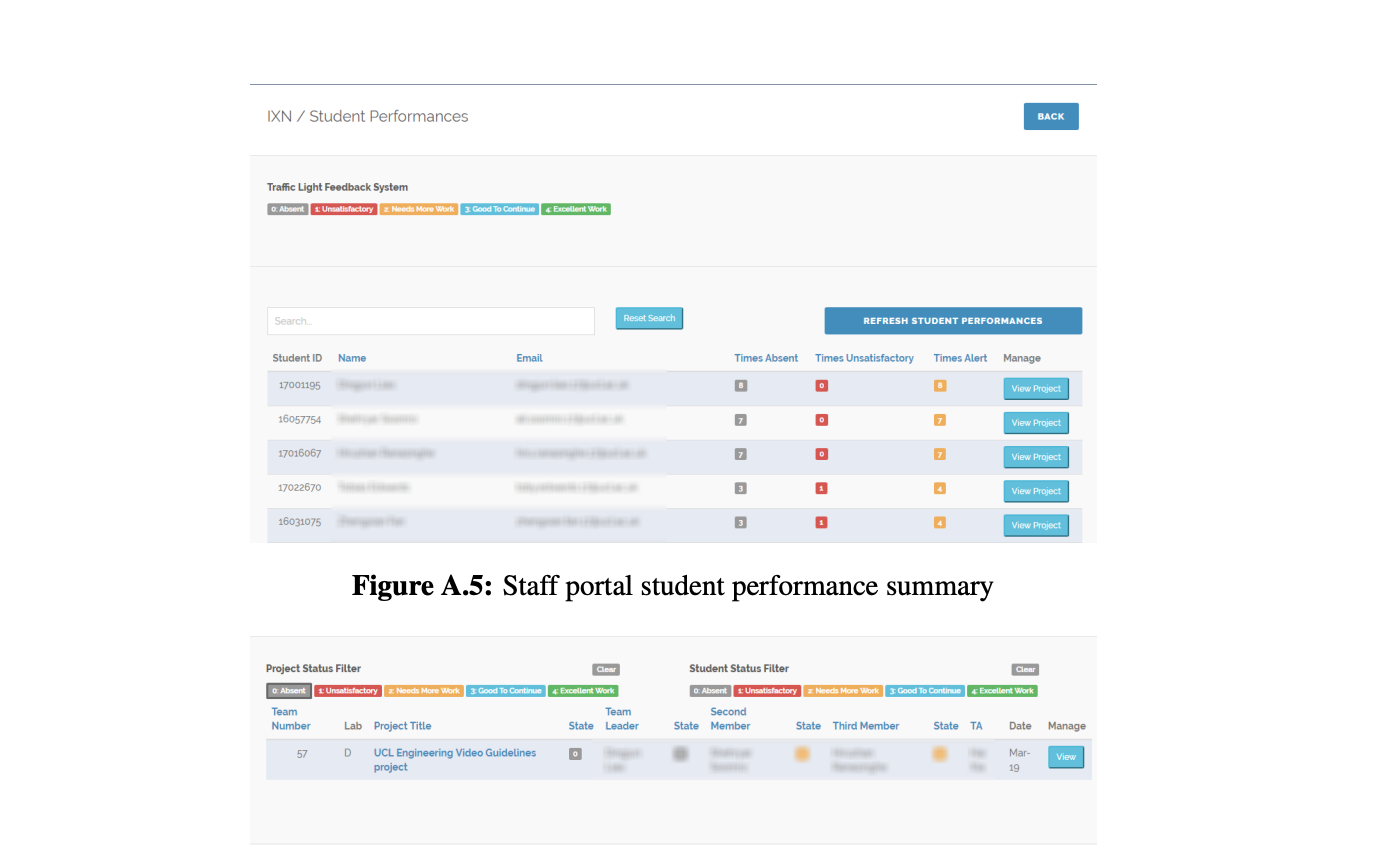
This is a group project by four MSc Computer Science students in 2022, an improvement upon Hai' s version. Still, it does not properly address issues like lack of mobile support and the ability to deploy to other universities. [5]
Advantages:
- Like Hai's design, this version has an intuitive and sleek UI that will not need much instruction for users to utilize the application
- Not a steep learning curve for new users to grasp the workflow and functionalities. Once deployed, users immediately start to use it without referring to demos, documentations, etc.
Disadvantages:
- Some problems within Hai's implementation still occur. Certain important features have been omitted or yet to be fully addressed. For instance, the issue identified in Hai’s version that TAs cannot retract and correct submitted erroneous feedback is not addressed.
- It has security vulnerabilities that must be addressed before deplyment. User login and authentication are not fully implemeneted, which poses a security risk to the system.
References
- [1] T. Uddin, J. Parkinson, T. Qian, and B. Dixon, UCL, London, UK, rep., 2022.
- [2] H. Xia, UCL, London, UK, rep., 2018.
- [3] “Canvas LMS - higher ed,” Instructure. [Online]. Available: https://www.instructure.com/en-gb/higher-education/products/canvas/canvas-lms (opens in a new tab). [Accessed: 10-Mar-2023].
- [4] “Modern Project & Work Management Platform,” Smartsheet. [Online]. Available: https://www.smartsheet.com/ (opens in a new tab). [Accessed: 10-Mar-2023].
- [5] “What can you do with sheets?,” Google Workspace Learning Center. [Online]. Available: https://support.google.com/a/users/answer/9310369?hl=en (opens in a new tab). [Accessed: 10-Mar-2023].